


CV
Email me
Data enrichment service
Simplifying the request process for 2× faster project kick-off
A self-service platform that lets customers submit training data requests, track progress, and download results — replacing email-based coordination entirely.
Problem
Every project started in someone’s inbox — customers and sales spent 1–2 days aligning on requirements, with no shared record and repeating the same process each time.
Solution
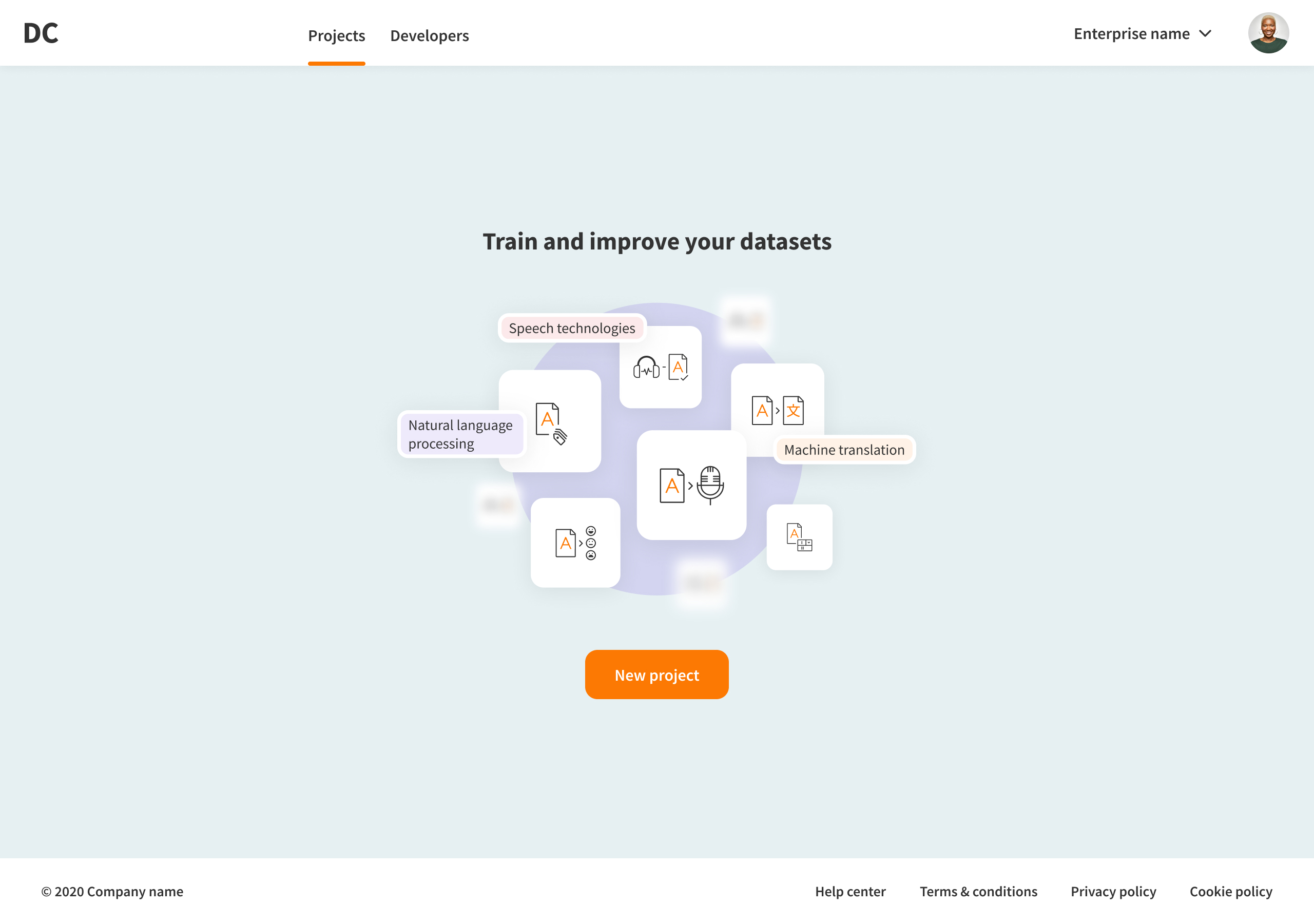
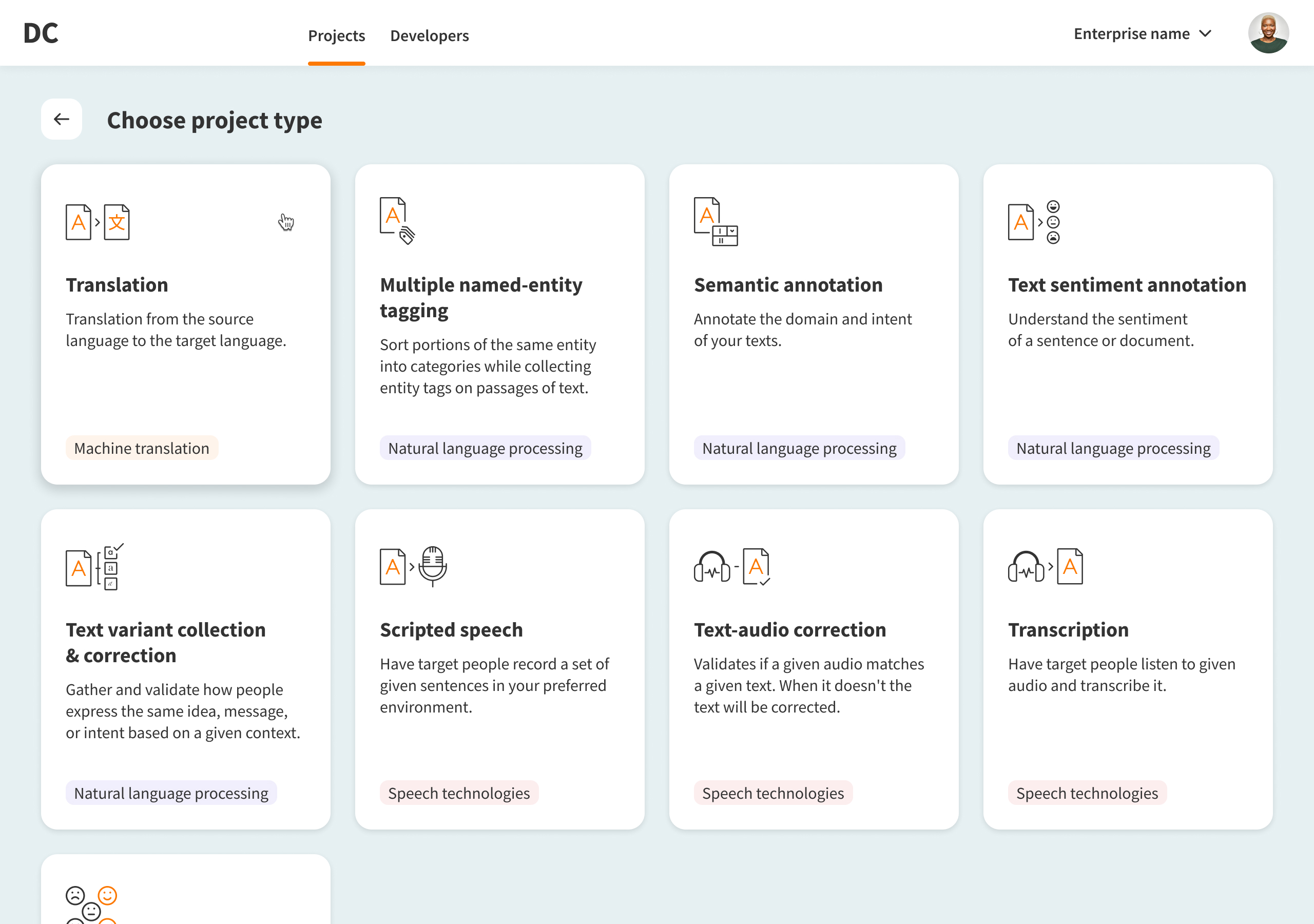
The right information was already in those emails; it just lacked structure. I designed a request flow where customers choose a project type and provide exactly what’s needed. Requests land in a shared table, a progress dashboard replaces status calls, and a linked admin panel keeps the ops team in sync.
One month after launch
80%
of requests came through the new platform
2×
faster project kick-off: 3 days instead of 7
1d
average submission time, down from 3 days
Interface overview
New request
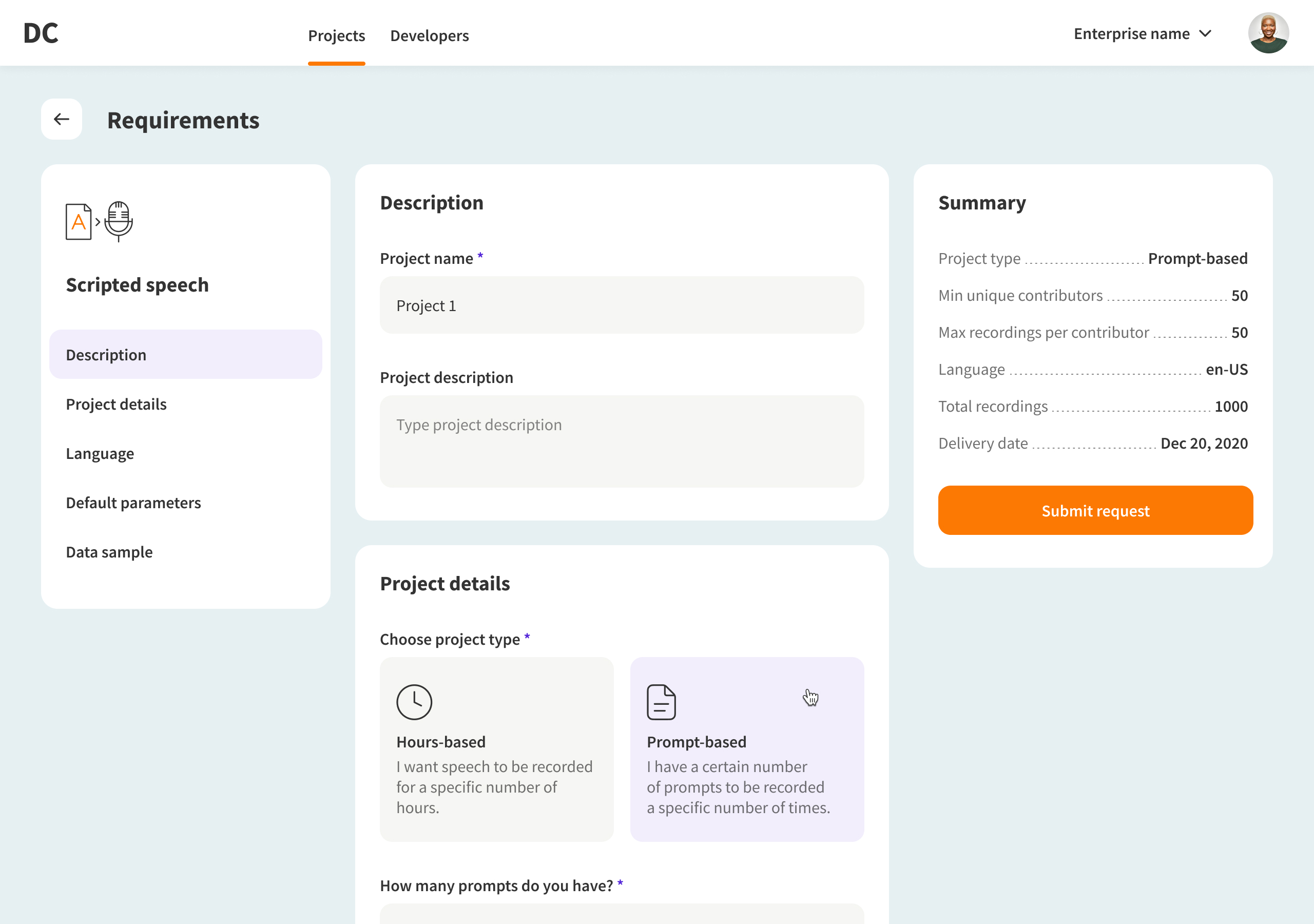
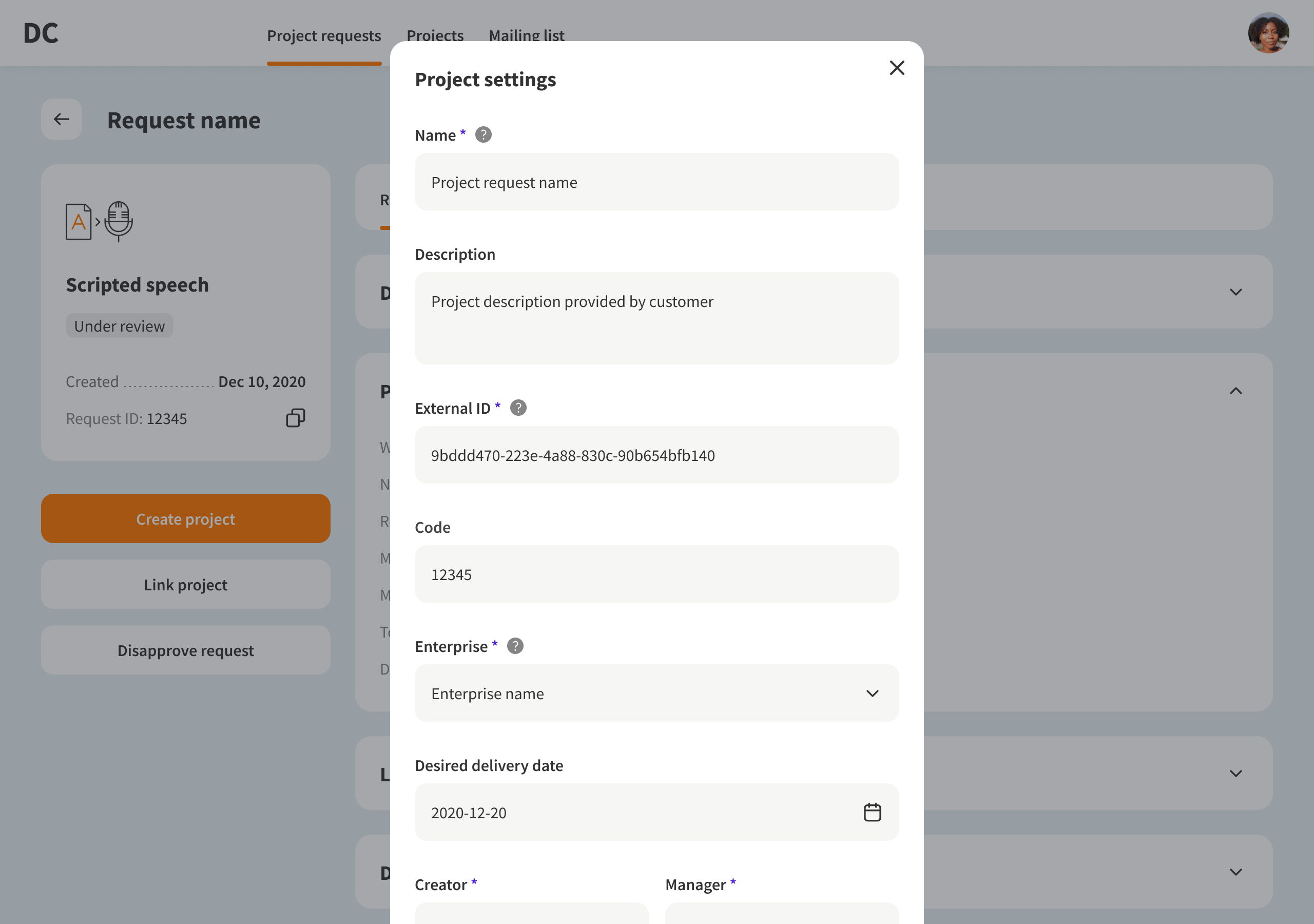
The form is split into a three-panel layout — section navigation on the left, inputs in the centre, and a live project summary on the right. Scope stays visible at every step, reducing back-and-forth after submission.
Projects list
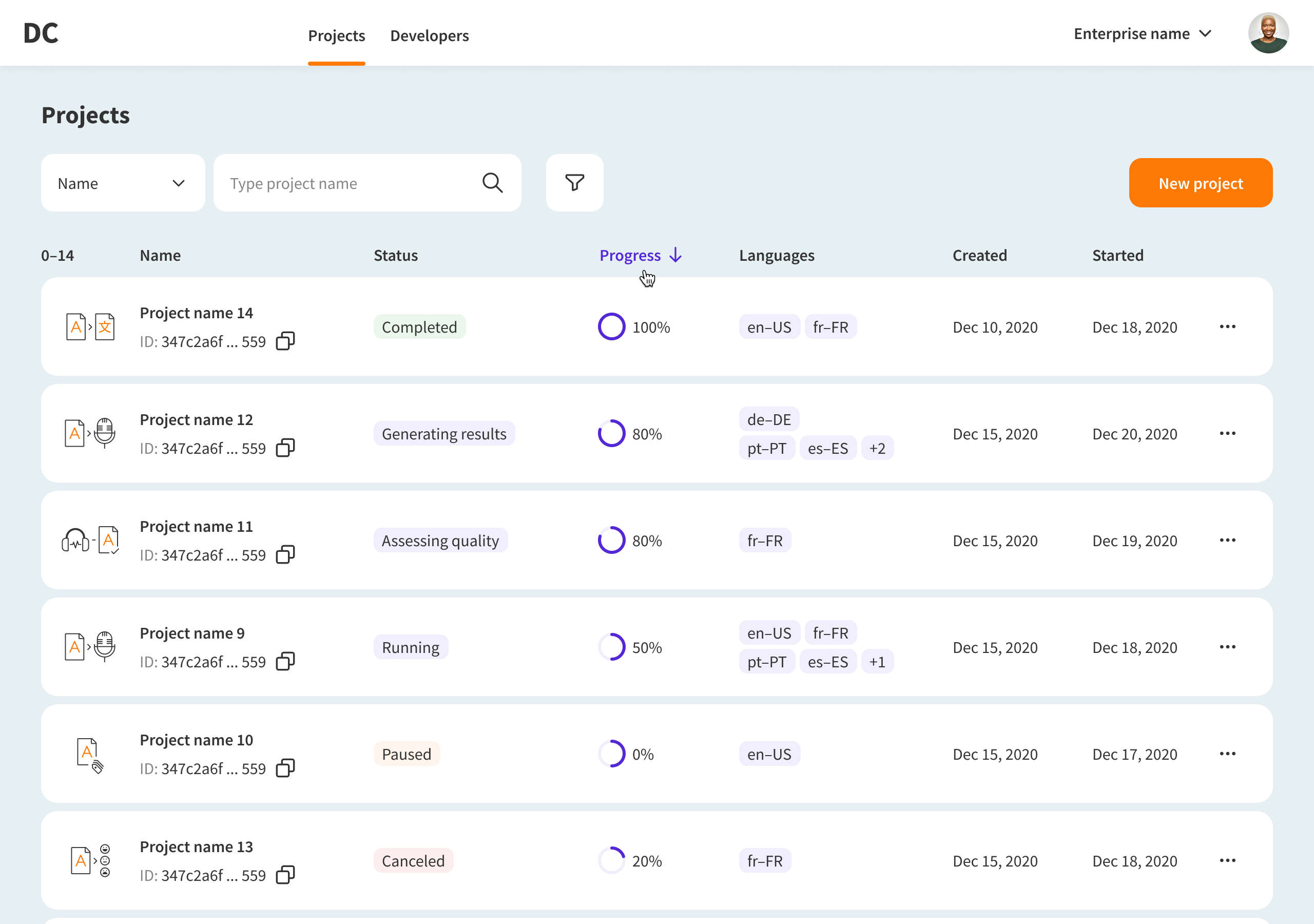
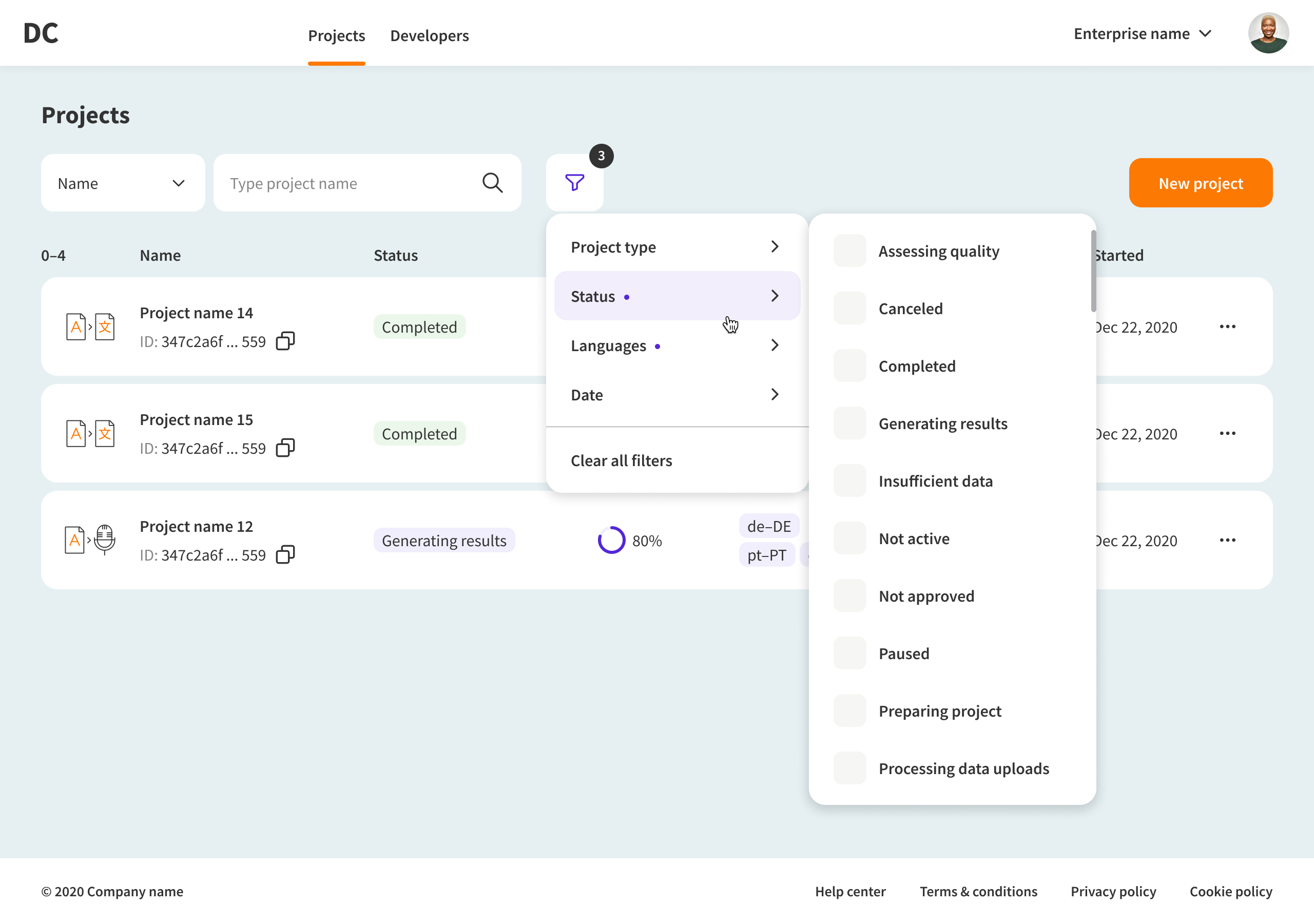
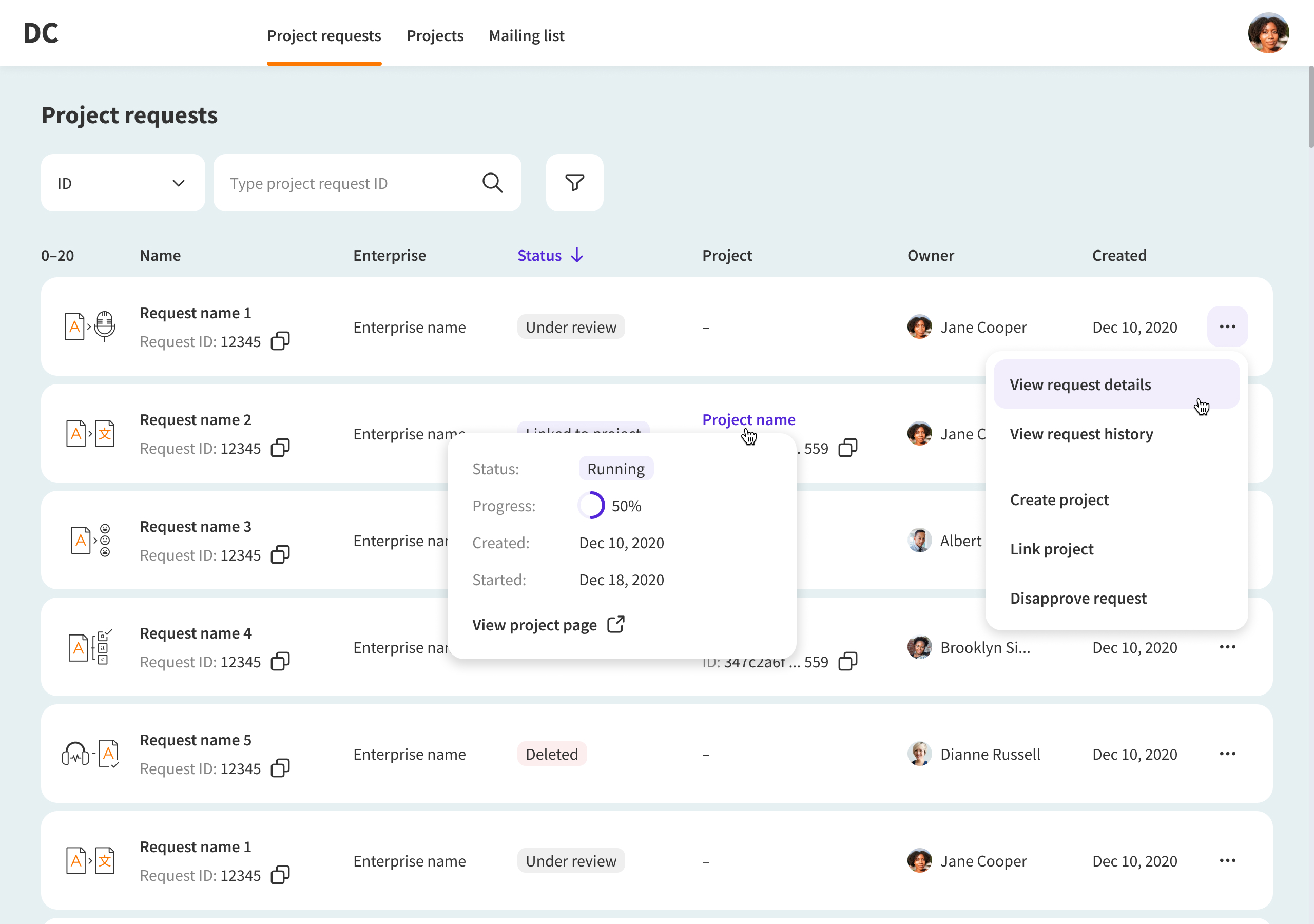
Submitted requests appear in a sortable, filterable table — each row showing status, language, progress, and dates. Managing many projects means needing to scan and act fast. A table does that.
Project details
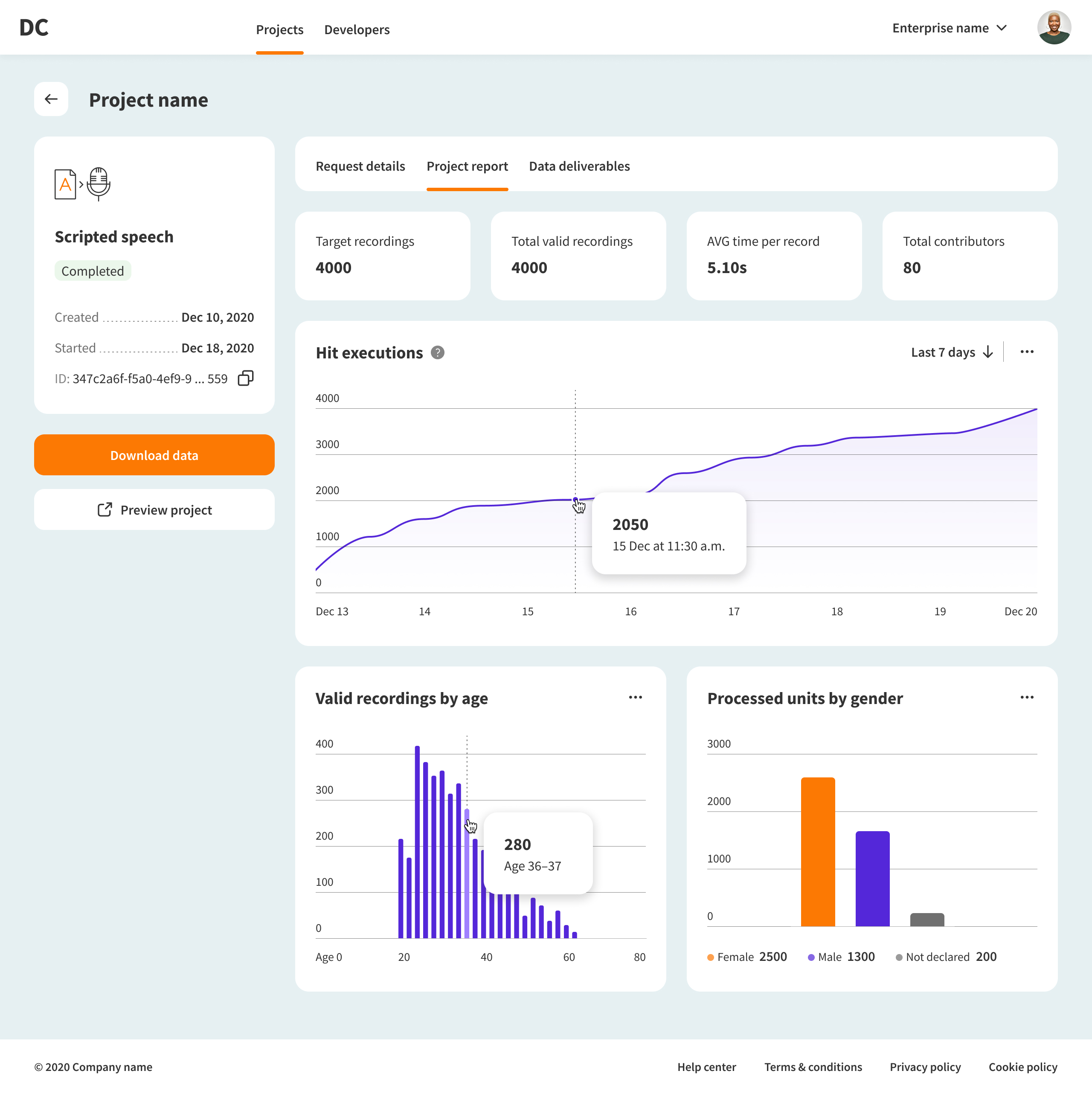
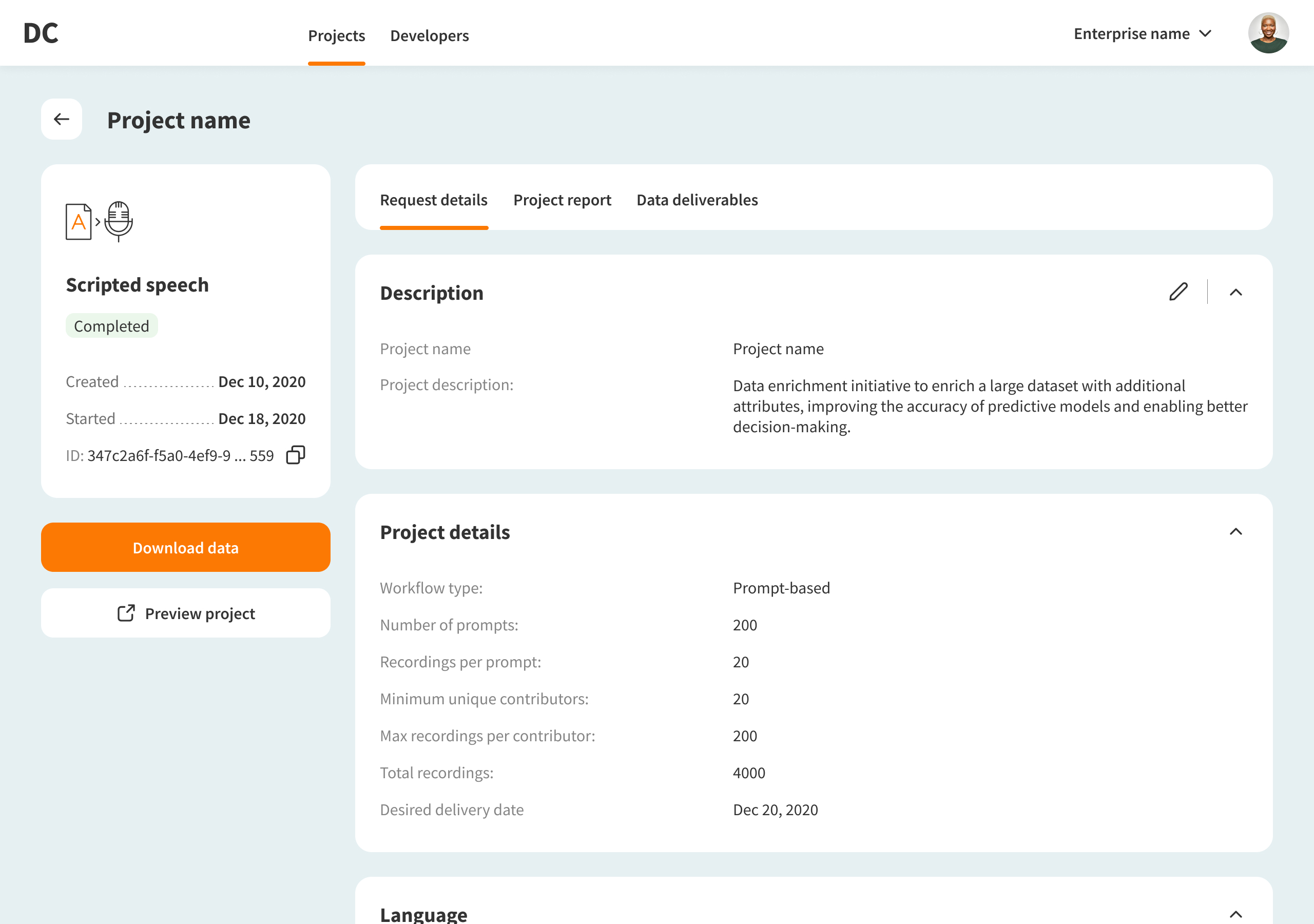
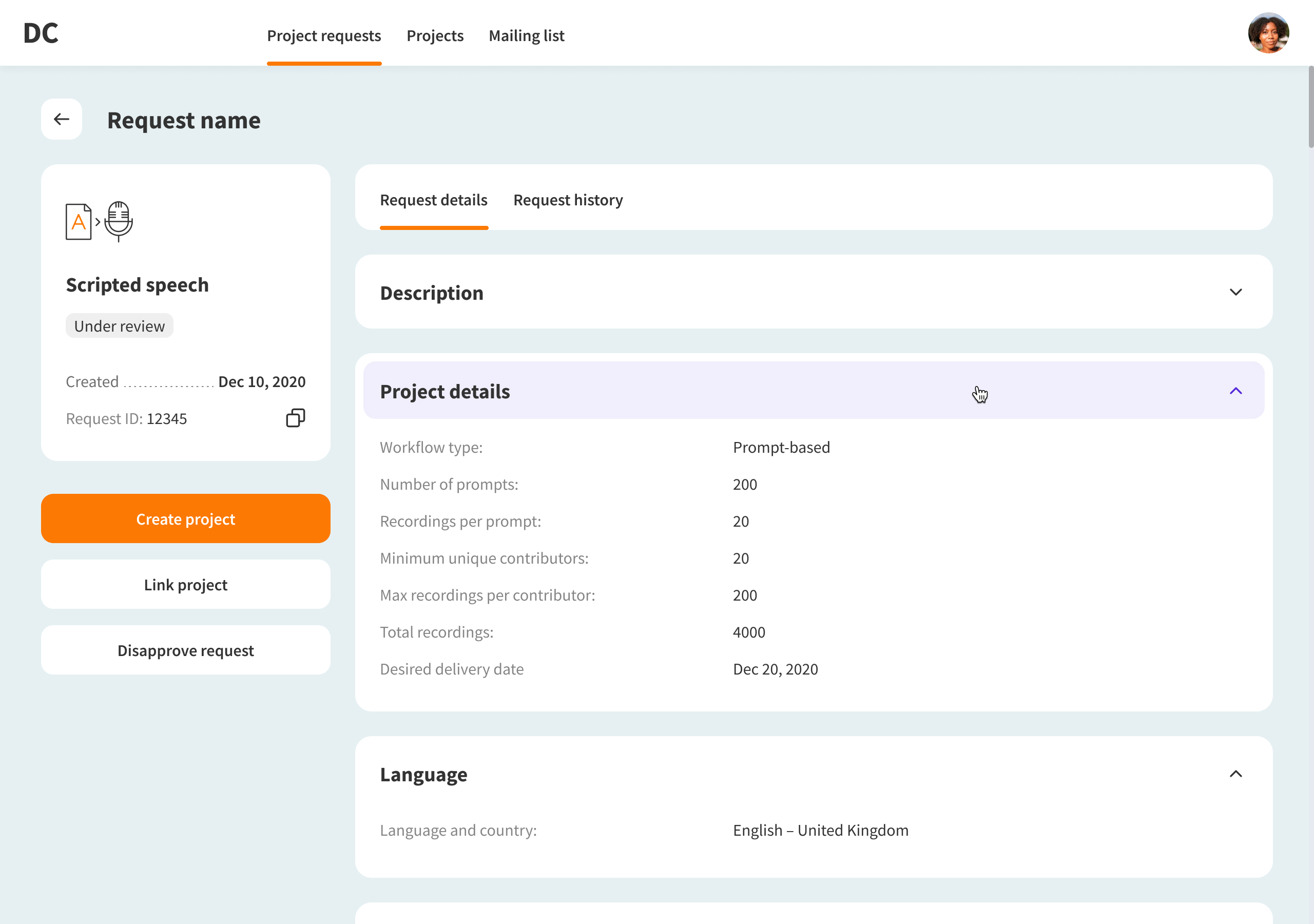
Each project has its own page, so customers can stay aligned without going back to sales — update requirements, follow progress, and download the final datasets in one place.
Admin panel
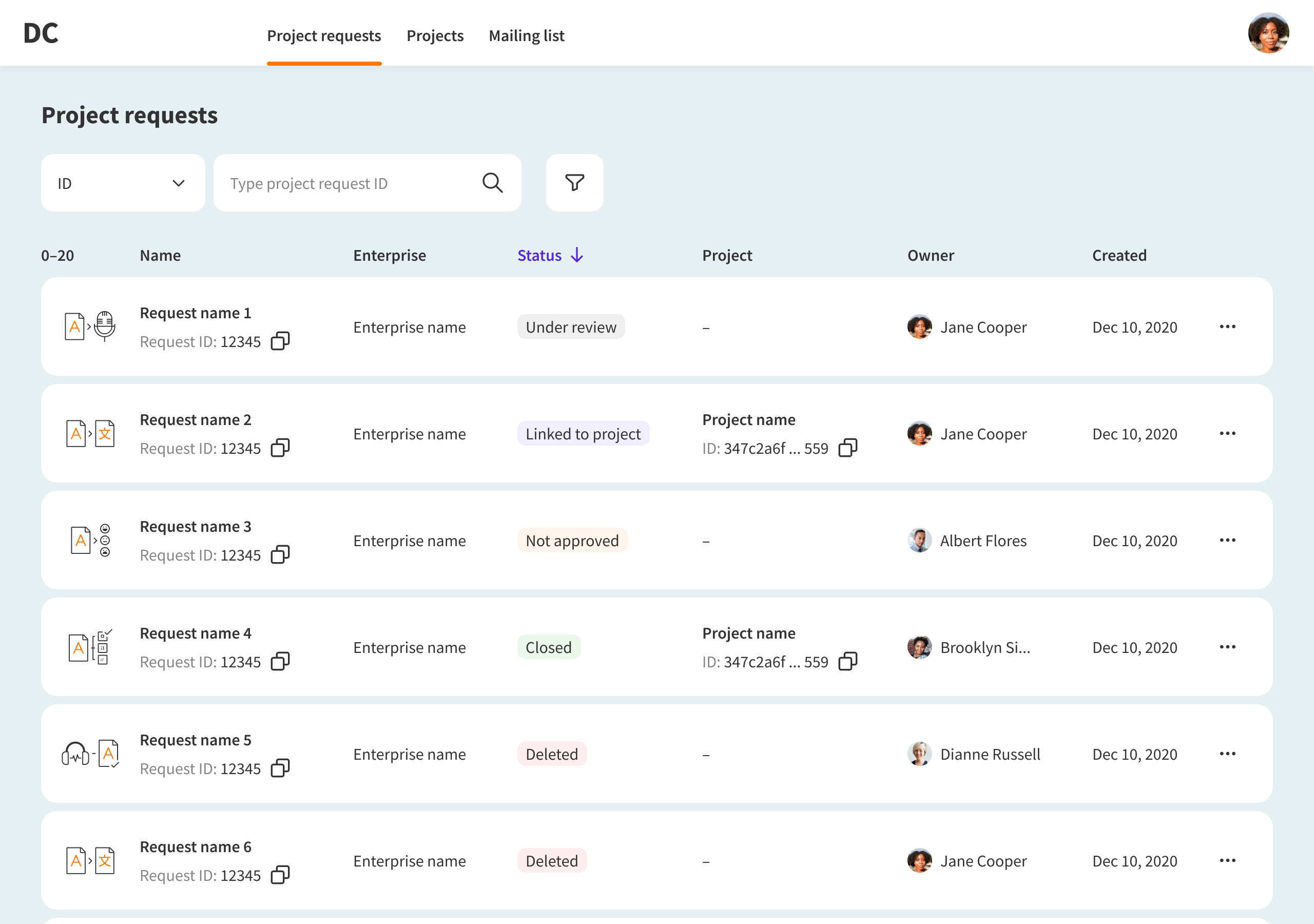
The back-end treated customer requests and internal projects as separate entities, and the workflows demanded it too — customers needed visibility, but control had to stay on the operations side.
The design supported that logic: a dedicated internal interface (admin panel) where managers review incoming requests, assess feasibility, and the execution team can start work in parallel before sales wraps up with the client.
At a certain point, the internal project links to its customer request — and progress becomes visible on both sides.
Takeaways
What I learned
Working within constraints I couldn't change pushed me to think harder about how structure shapes experience — not just how experience shapes structure. Design can't always dictate the system. Sometimes it has to work with it.


Alex Dontsov
CV
Email me
Data enrichment service
Simplifying the request process for 2× faster project kick-off
A self-service platform that lets customers submit training data requests, track progress, and download results — replacing email-based coordination entirely.
Problem
Every project started in someone’s inbox — customers and sales spent 1–2 days aligning on requirements, with no shared record and repeating the same process each time.
Solution
The right information was already in those emails; it just lacked structure. I designed a request flow where customers choose a project type and provide exactly what’s needed. Requests land in a shared table, a progress dashboard replaces status calls, and a linked admin panel keeps the ops team in sync.
One month after launch
80%
of requests came through the new platform

2×
faster project kick-off: 3 days instead of 7
1d
average submission time, down from 3 days
Interface overview
New request
The form is split into a three-panel layout — section navigation on the left, inputs in the centre, and a live project summary on the right. Scope stays visible at every step, reducing back-and-forth after submission.
Projects list
Submitted requests appear in a sortable, filterable table — each row showing status, language, progress, and dates. Managing many projects means needing to scan and act fast. A table does that.
Project details
Each project has its own page, so customers can stay aligned without going back to sales — update requirements, follow progress, and download the final datasets in one place.
Admin panel
The back-end treated customer requests and internal projects as separate entities, and the workflows demanded it too — customers needed visibility, but control had to stay on the operations side.
The design supported that logic: a dedicated internal interface (admin panel) where managers review incoming requests, assess feasibility, and the execution team can start work in parallel before sales wraps up with the client.
At a certain point, the internal project links to its customer request — and progress becomes visible on both sides.
Takeaways
What I learned
Working within constraints I couldn't change pushed me to think harder about how structure shapes experience — not just how experience shapes structure. Design can't always dictate the system. Sometimes it has to work with it.


Alex Dontsov
CV
Email me
Data enrichment service
Simplifying the request process for 2× faster project kick-off
A self-service platform that lets customers submit training data requests, track progress, and download results — replacing email-based coordination entirely.
Problem
Every project started in someone’s inbox — customers and sales spent 1–2 days aligning on requirements, with no shared record and repeating the same process each time.
Solution
The right information was already in those emails; it just lacked structure. I designed a request flow where customers choose a project type and provide exactly what’s needed. Requests land in a shared table, a progress dashboard replaces status calls, and a linked admin panel keeps the ops team in sync.
One month after launch
80%
of requests came through the new platform
2×
faster project kick-off: 3 days instead of 7
1d
average submission time, down from 3 days
Interface overview
New request
The form is split into a three-panel layout — section navigation on the left, inputs in the centre, and a live project summary on the right. Scope stays visible at every step, reducing back-and-forth after submission.
Projects list
Submitted requests appear in a sortable, filterable table — each row showing status, language, progress, and dates. Managing many projects means scanning and acting fast. A table does that.
Project details
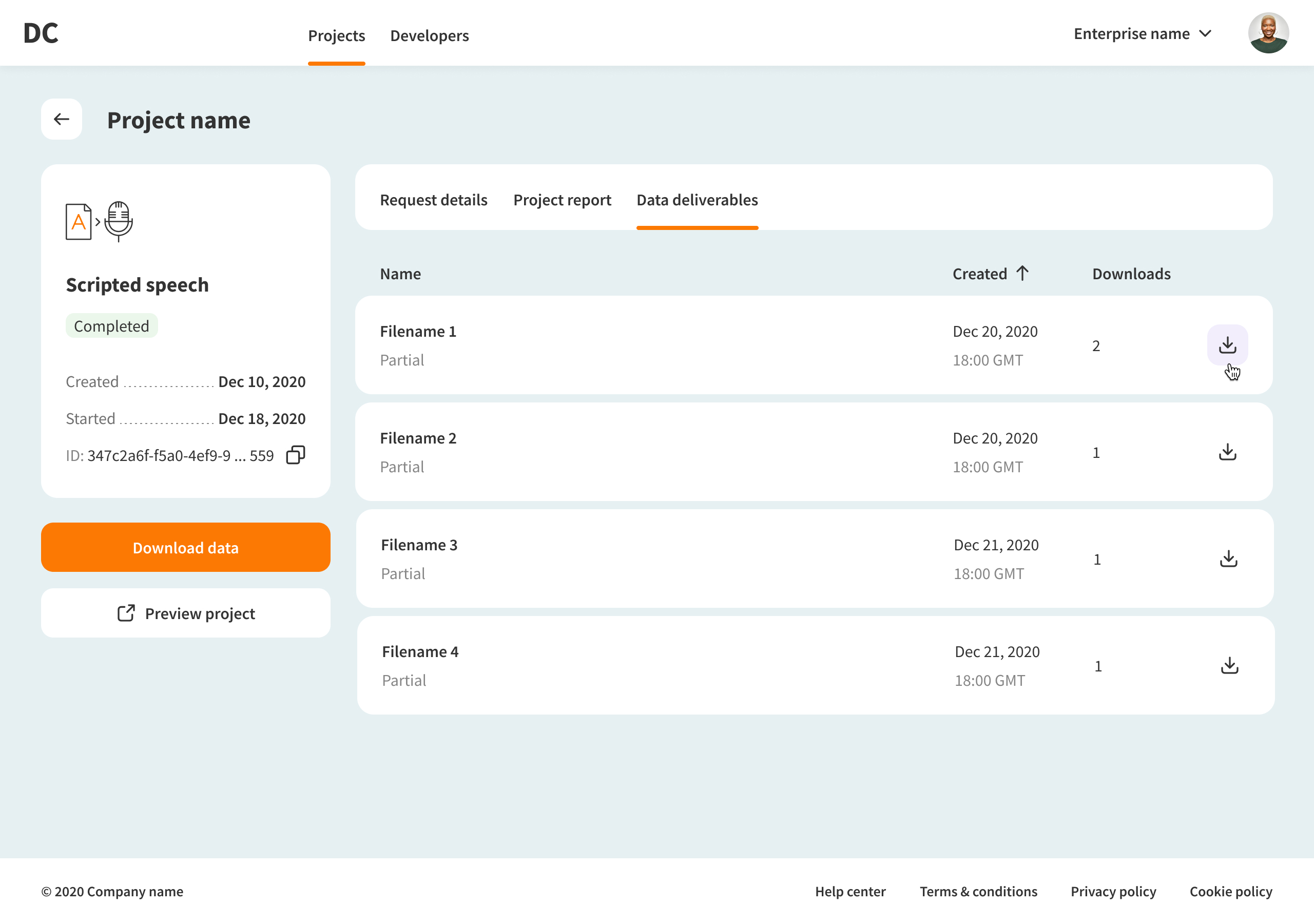
Each project has its own page, so customers can stay aligned without going back to sales — update requirements, follow progress, and download the final datasets in one place.
Admin panel
The back-end treated customer requests and internal projects as separate entities, and the workflows demanded it too — customers needed visibility, but control had to stay on the operations side.
The design supported that logic: a dedicated internal interface (admin panel) where managers review incoming requests, assess feasibility, and the execution team can start work in parallel before sales wraps up with the client.
At a certain point, the internal project links to its customer request — and progress becomes visible on both sides.
Takeaways
What I learned
Working within constraints I couldn't change pushed me to think harder about how structure shapes experience — not just how experience shapes structure. Design can't always dictate the system. Sometimes it has to work with it.
