Company
Biolink.Tech
 Alex DontsovContact me
Biolink Health is a mobile companion for people with type 2 diabetes, bringing glucose, food, activity, medication, and educational support into one connected daily experience.
Biolink.Tech
UI/UX Designer
Discovery & research
UX/UI & prototyping
Design system & MVP delivery
Design Director
Front-end & back-end engineers
I joined Biolink.Tech to design the companion iOS app for a wearable the company was developing. The team still needed a clear use case that would make the data useful in everyday life.
Early research at Biolink.Tech pointed to type 2 diabetes, where people manage glucose, meals, activity, and medication every day. This gave the wearable a concrete purpose, but data alone was not enough.
I interviewed people with type 2 diabetes who were already using tracking apps and benchmarked competing products. Those interviews and the benchmark revealed the gap:
Existing apps worked mainly as digital logbooks. They helped people record what happened, but not understand what affected their glucose or what to do next.
I decided early that the app had to remain useful even without the wearable. That meant keeping manual logging fast and frictionless, while the wearable was intended to become the primary way people captured their data.
To move beyond the digital logbook model, I proposed making guidance — not tracking — the center of the experience, using daily goals to turn recommendations into achievable actions.
The app let people see how changes in their glucose related to meals, activity, and medication, then find a relevant next step. Fast logging reduced the effort of daily tracking, while reports and a timeline made patterns easier to spot over time.
We tested the MVP with 15 participants, focusing on overall usability, logging efficiency, and unassisted task completion.
82
System Usability Scale score for the MVP.
3–4
Taps to log a full entry, compared with 6–8 in competing trackers.
93%
Task success rate — 14 of 15 participants completed core flows unaided.
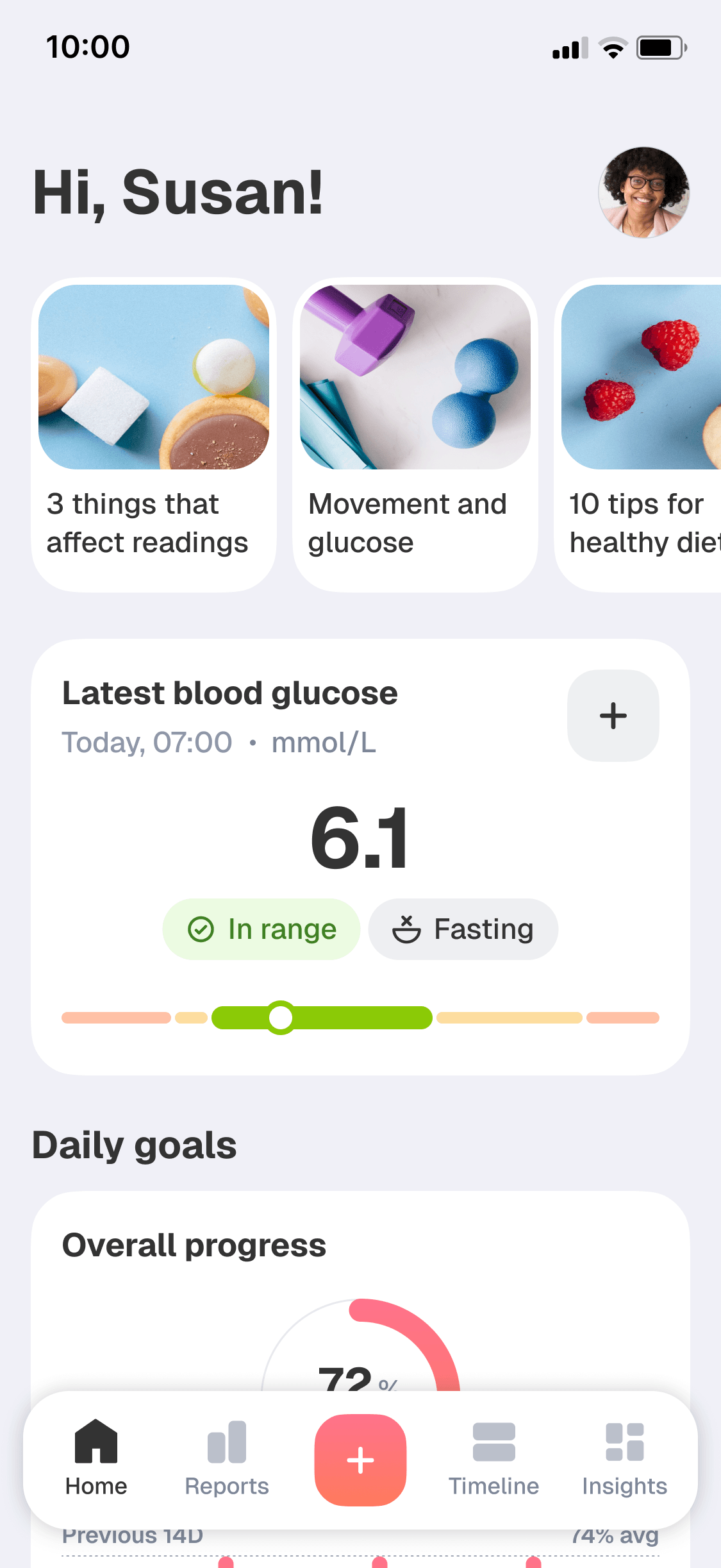
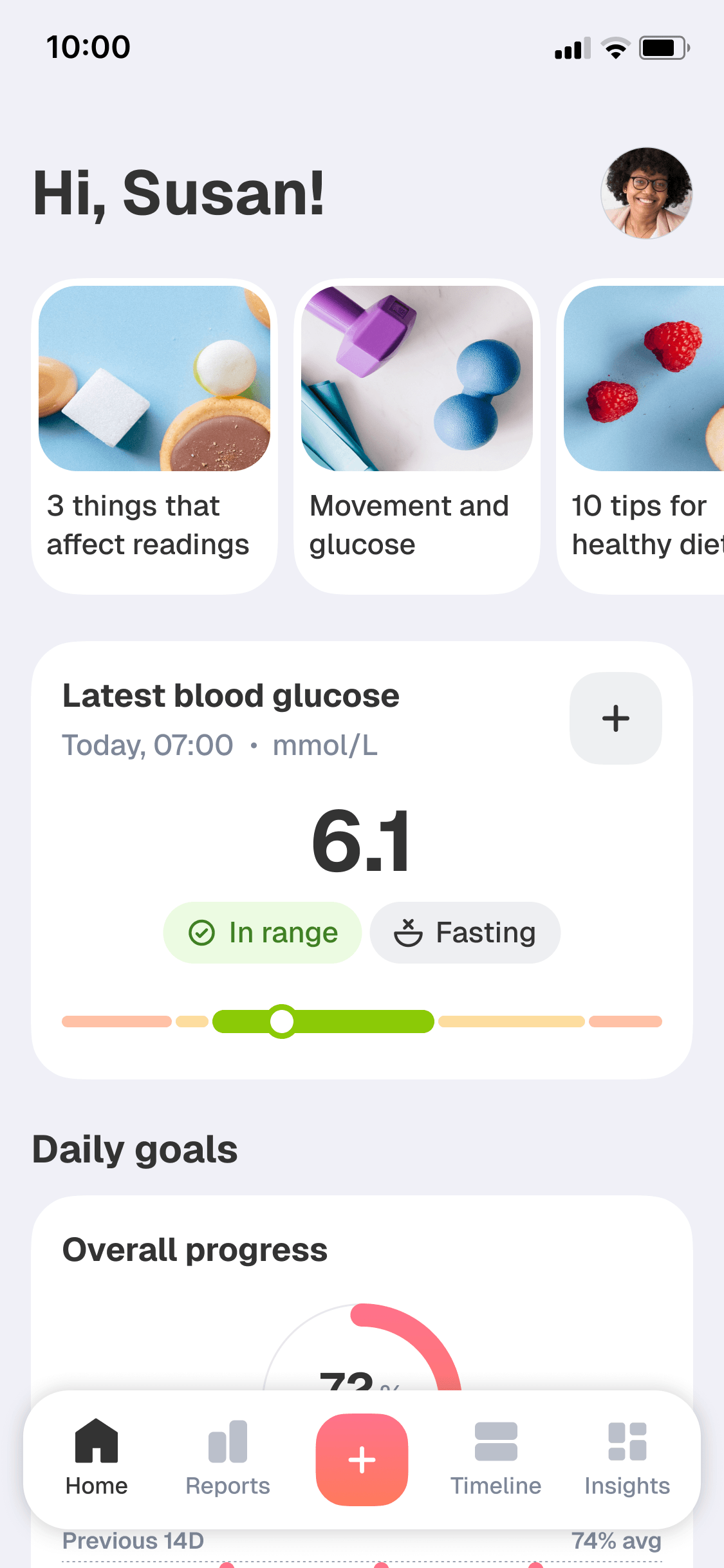
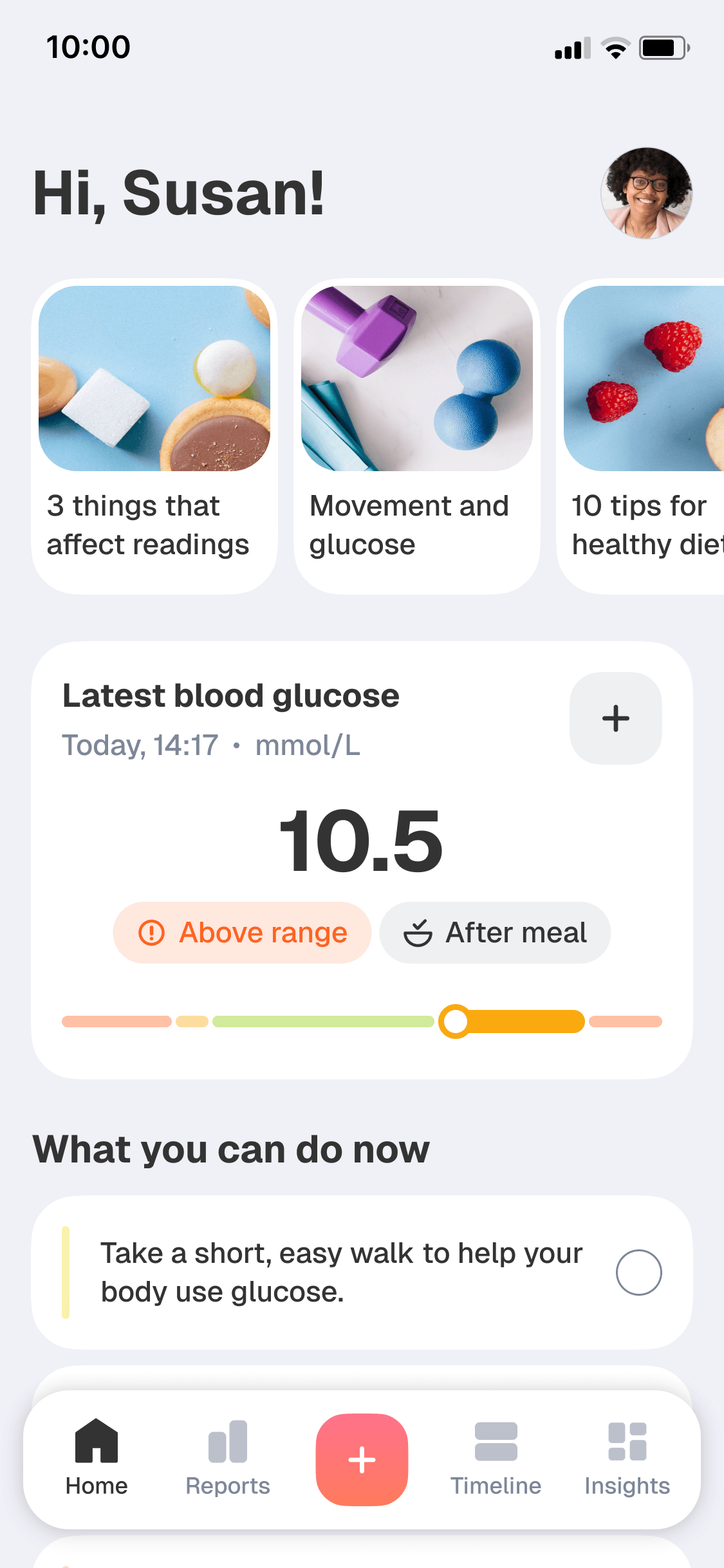
In interviews, the current glucose reading was the first thing people wanted to see.
It shaped what they did next, so I centered the top of the home screen on the latest reading and its context.
I also added a visual interpretation of the reading by dividing the scale into color-coded segments.
Mockup 1 of 2
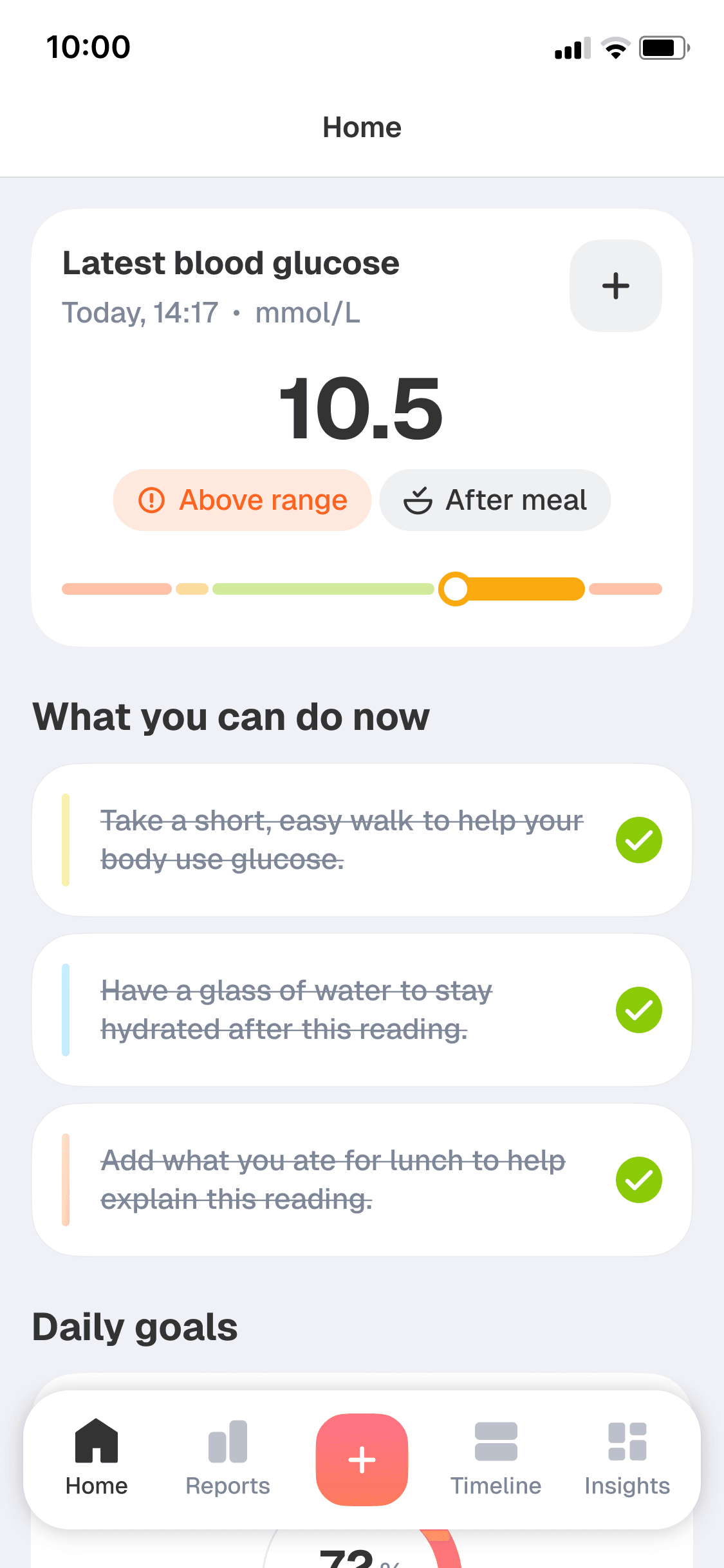
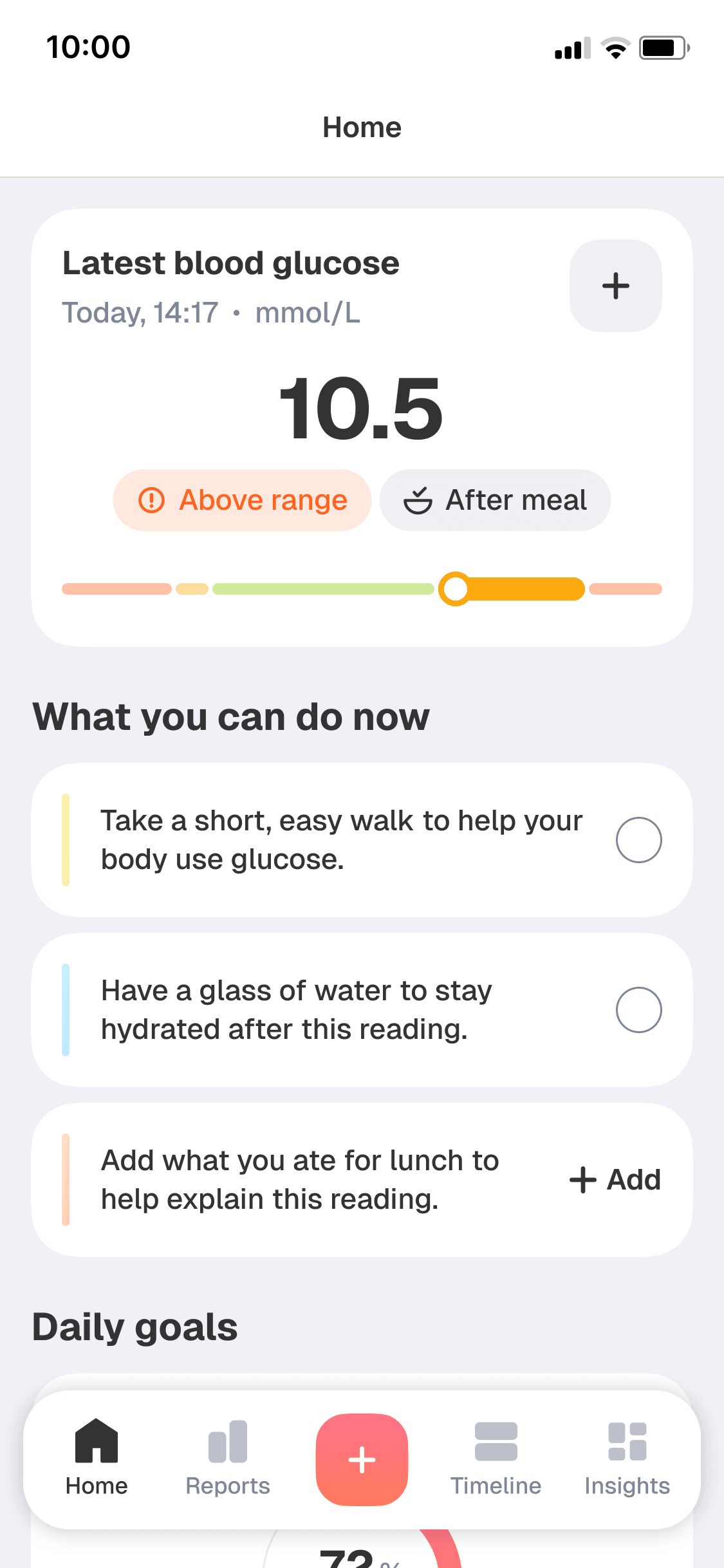
Testing the first sketches showed that displaying the latest reading was not enough; people also needed a way to respond to it.
I added short to-do lists to out-of-range readings so people could move from seeing a number to choosing a clear next step on the same screen.
Mockup 1 of 2
Once the immediate question is answered, the focus shifts from a single reading to the rest of the day.
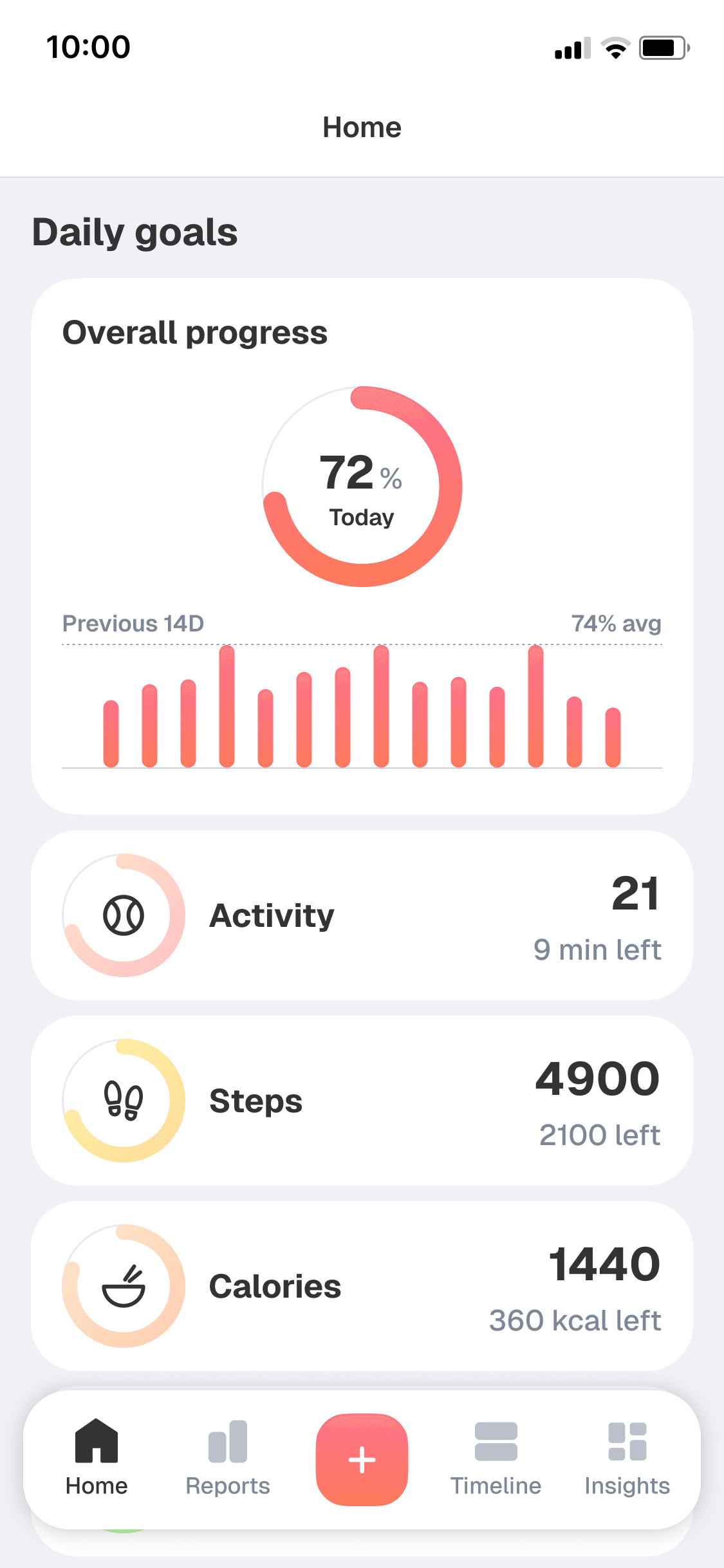
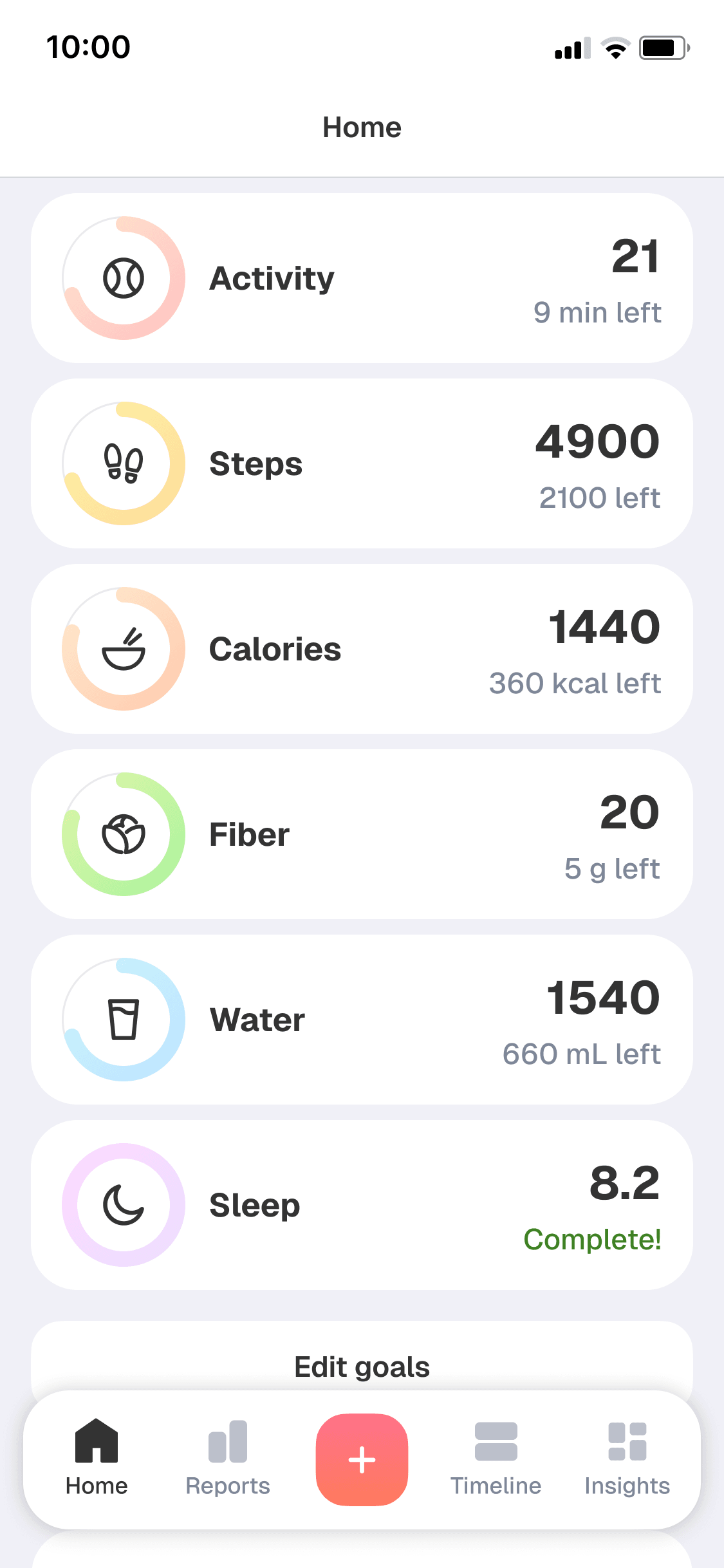
The Daily goals section helps people work toward steadier glucose through specific targets.
I focused the editable goals on areas relevant to day-to-day diabetes management: activity, nutrition, hydration, and sleep. Progress stayed visible on the home screen.
Mockup 1 of 2
Although readings were planned to sync automatically from the wearable, the app still had to make manual entry quick and effortless.
In interviews, users told me that popular apps turned a simple glucose entry into too many taps — minor friction that added up when repeated several times a day.
I proposed setting the glucose value with a slider in one gesture, while tapping the number opened the keyboard for anyone who preferred typing. A full entry took 3–4 taps, compared with 6–8 in competing trackers.
Mockup 1 of 2
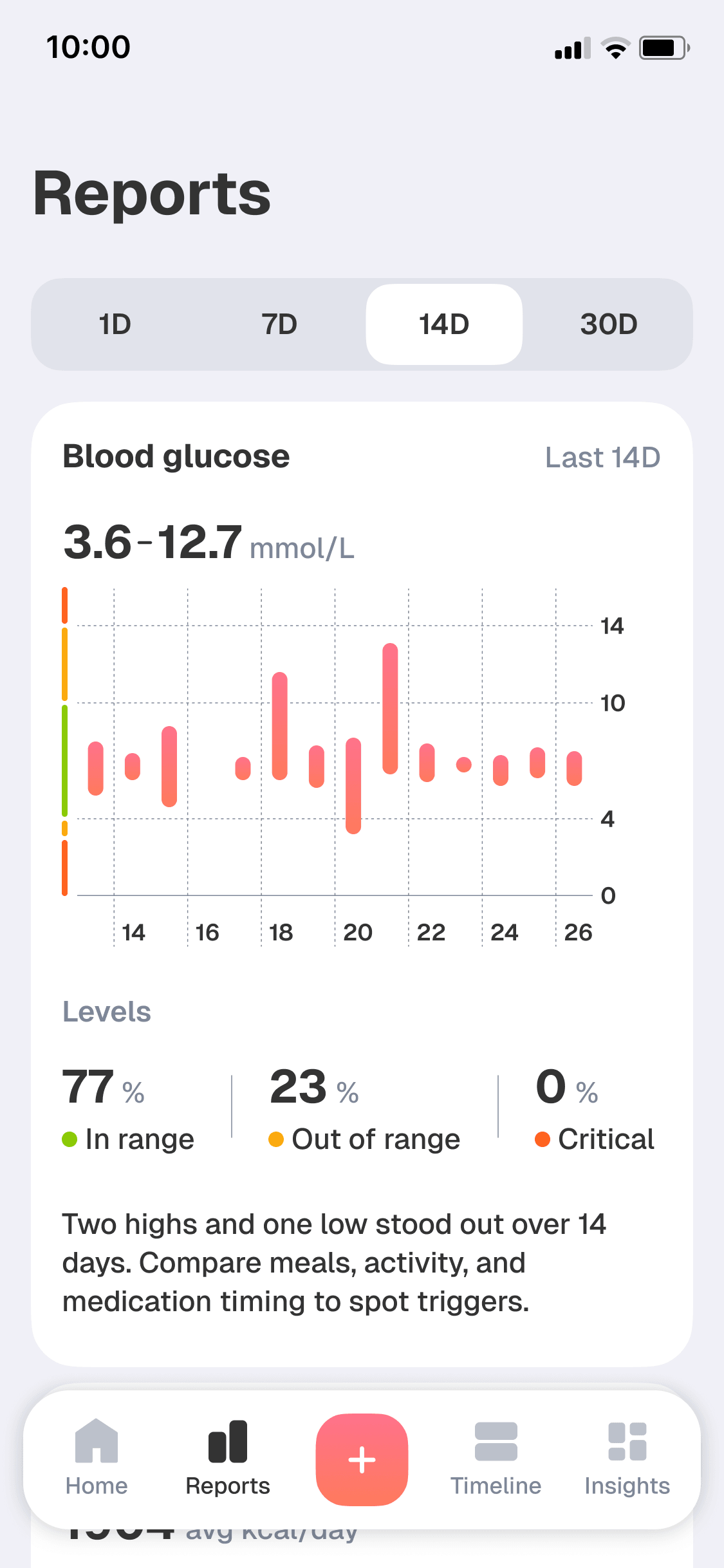
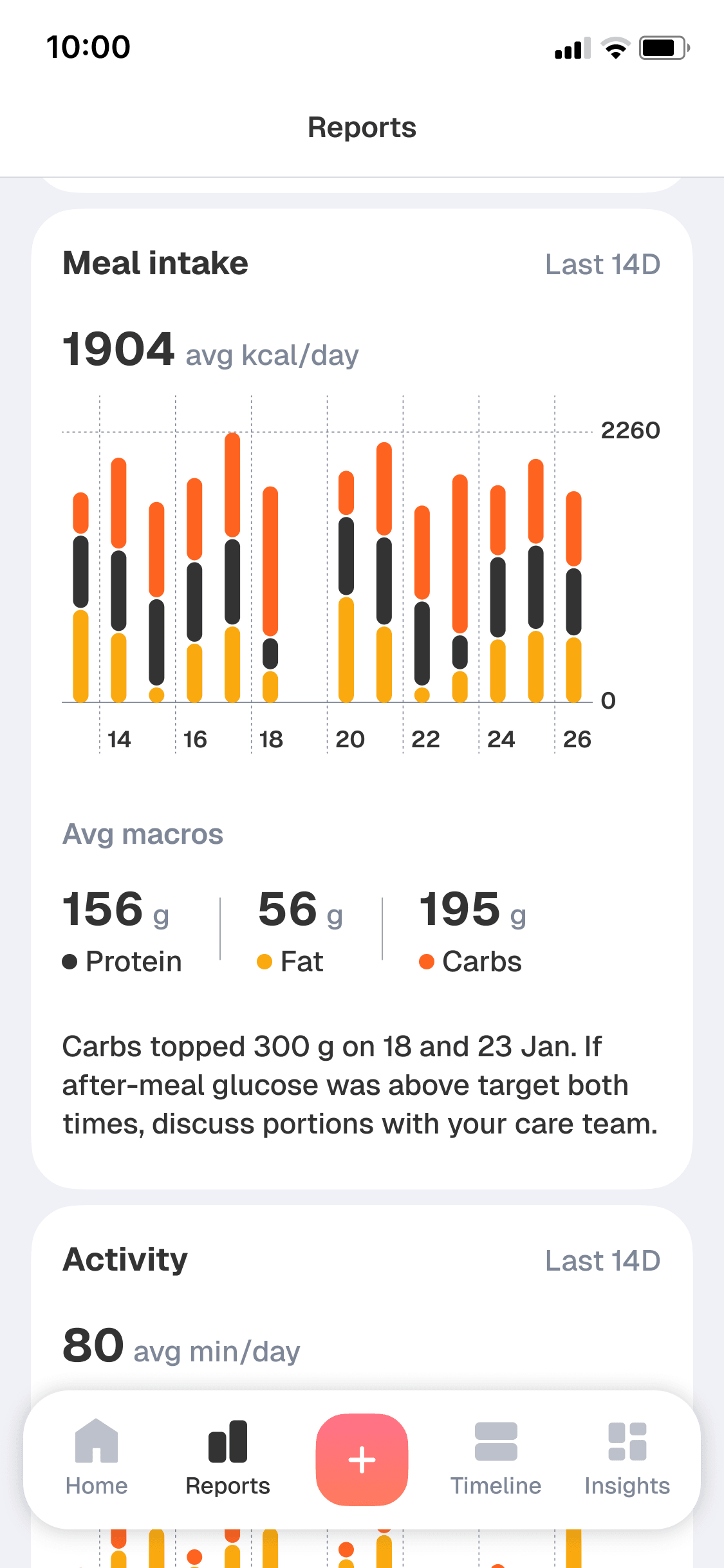
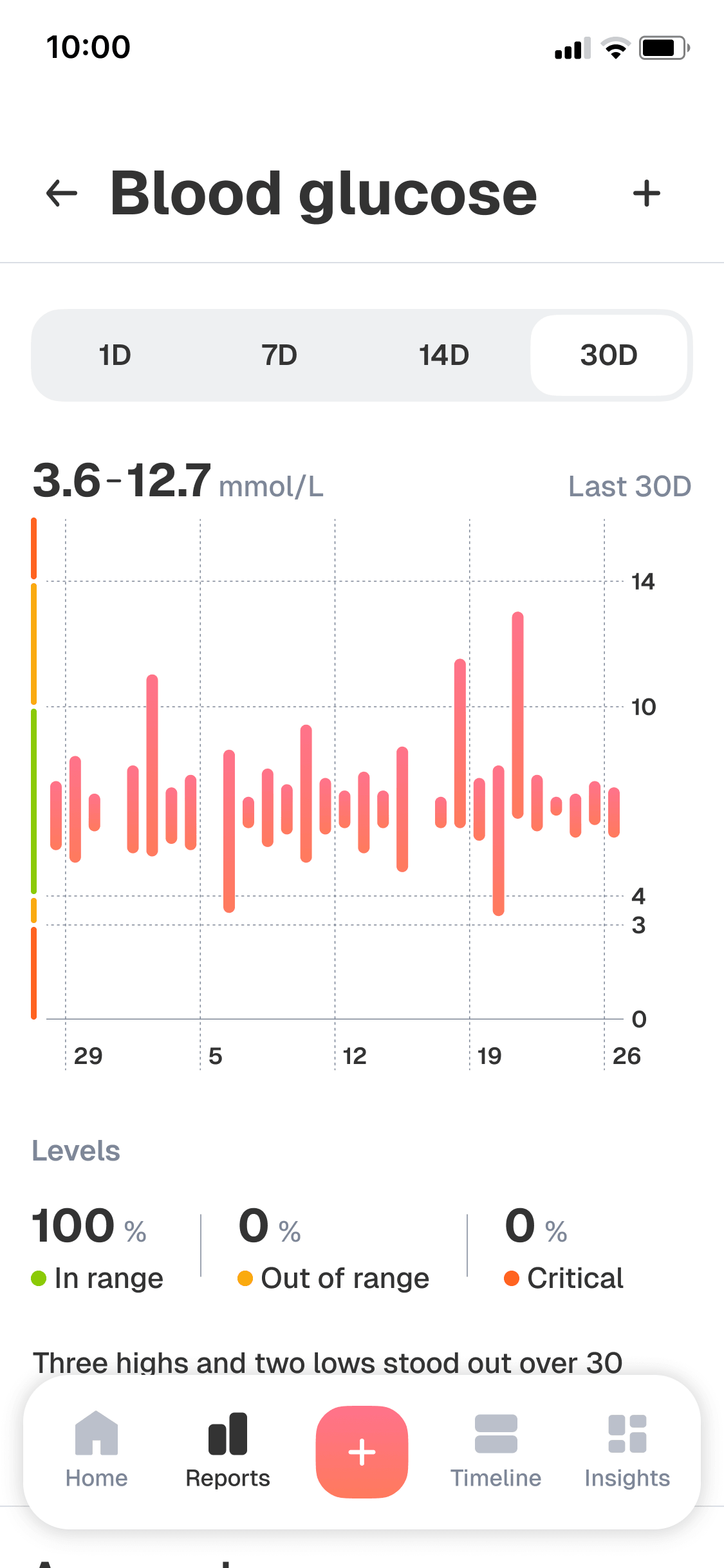
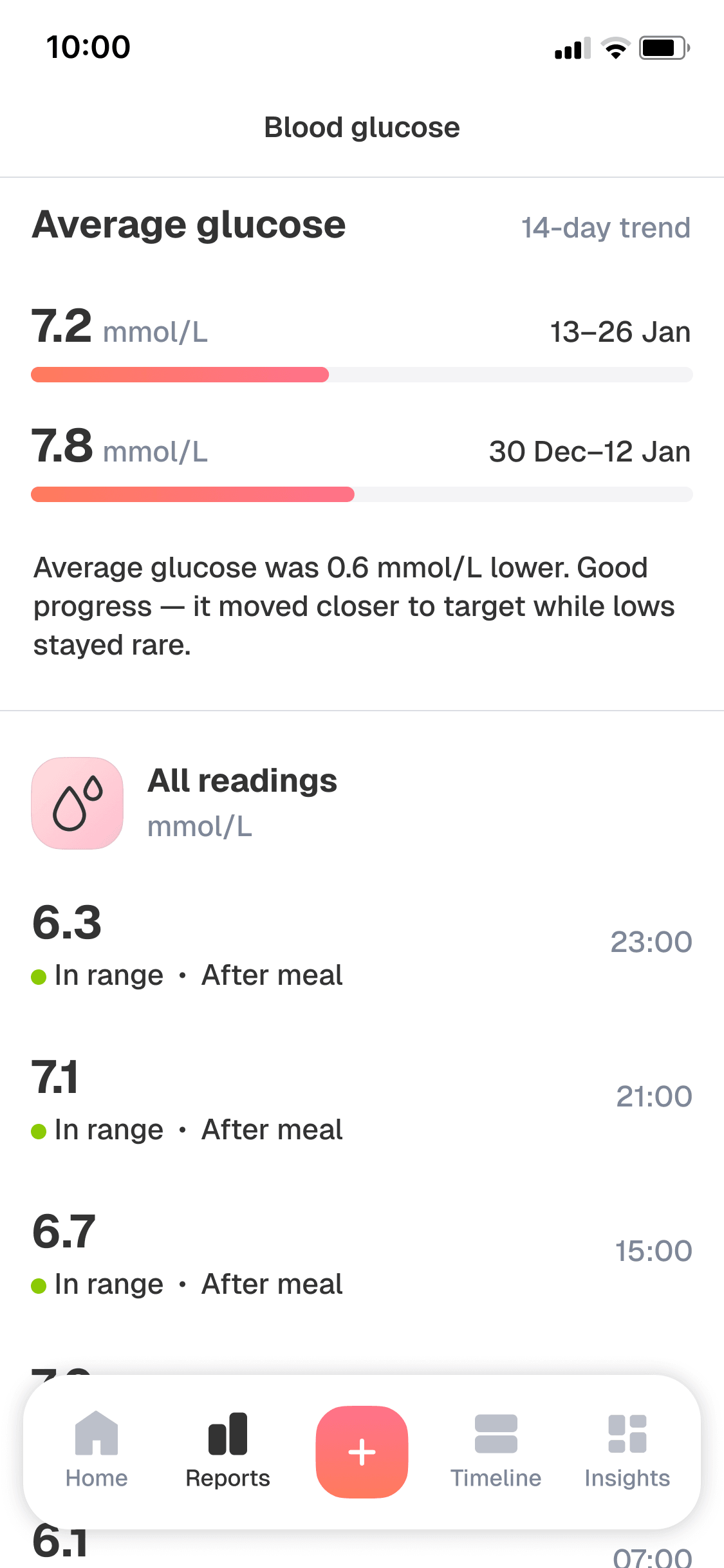
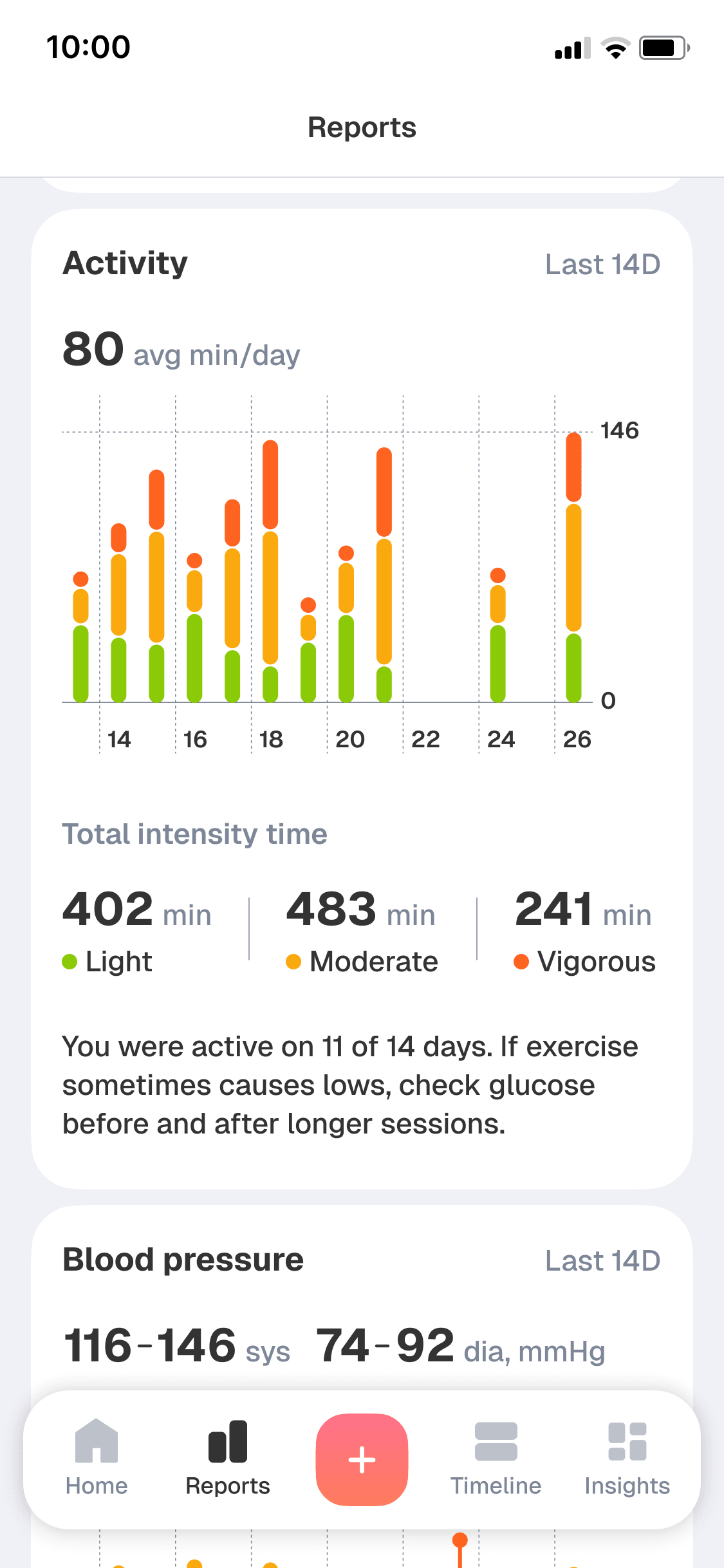
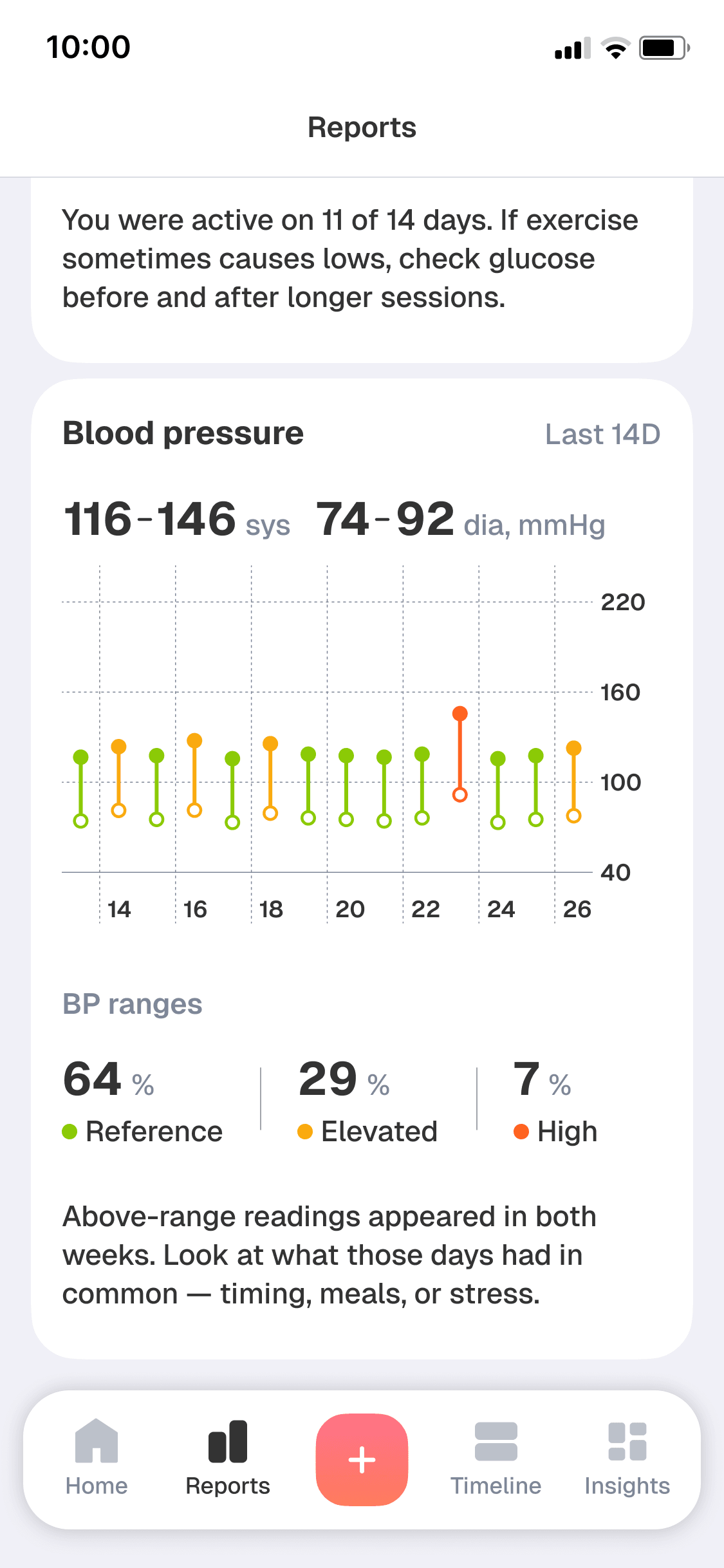
A single reading supports an immediate decision, but it cannot show whether a change is isolated or recurring. I moved dashboards out of the home screen to keep the daily flow focused and placed them in a dedicated Reports area for a different, deeper task: reviewing glucose, meals, activity, and blood pressure across several time ranges.
Charts alone would have shifted the work of interpretation back to the user, especially for people still learning to manage diabetes. I added a short, plain-language summary to each visualization so people could understand the key takeaway without having to decode every chart on their own.
Mockup 1 of 6
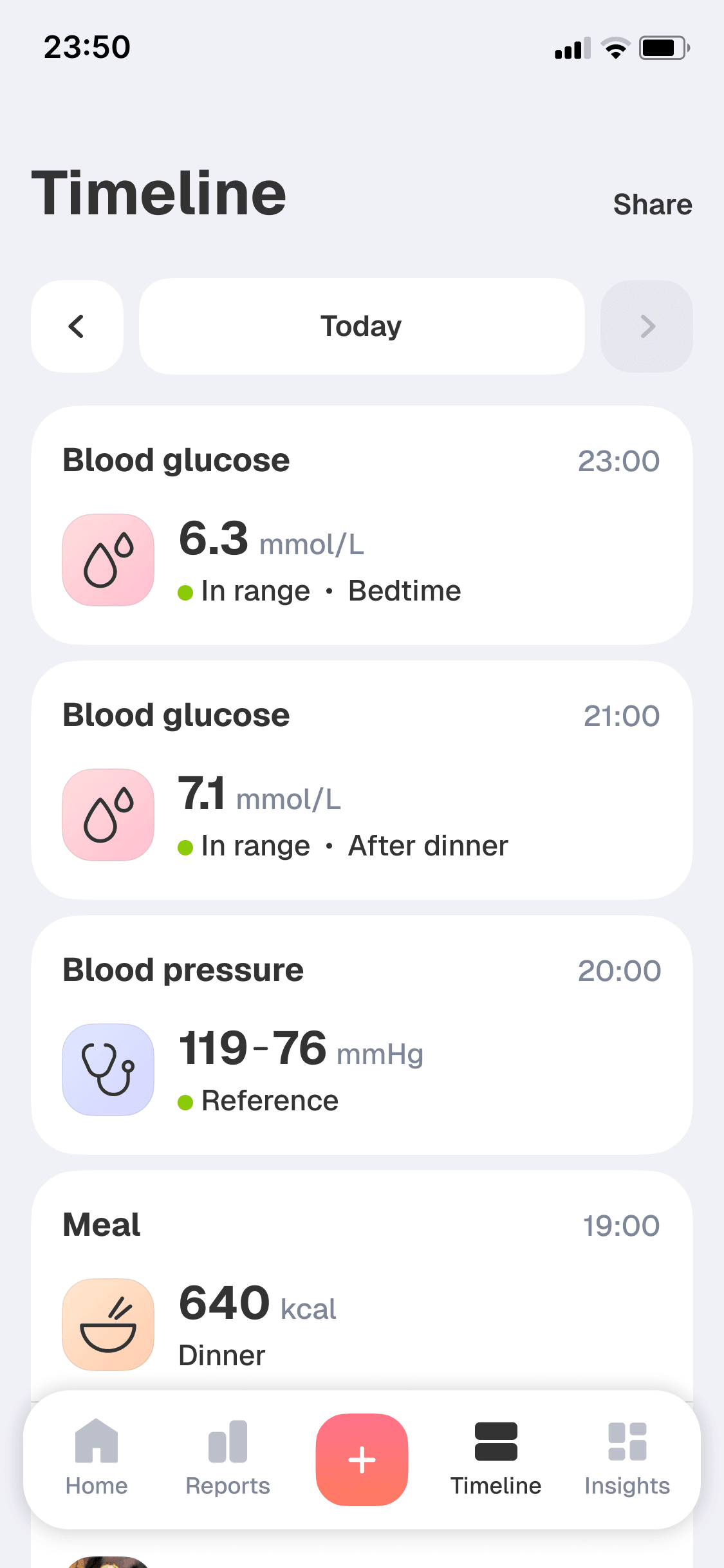
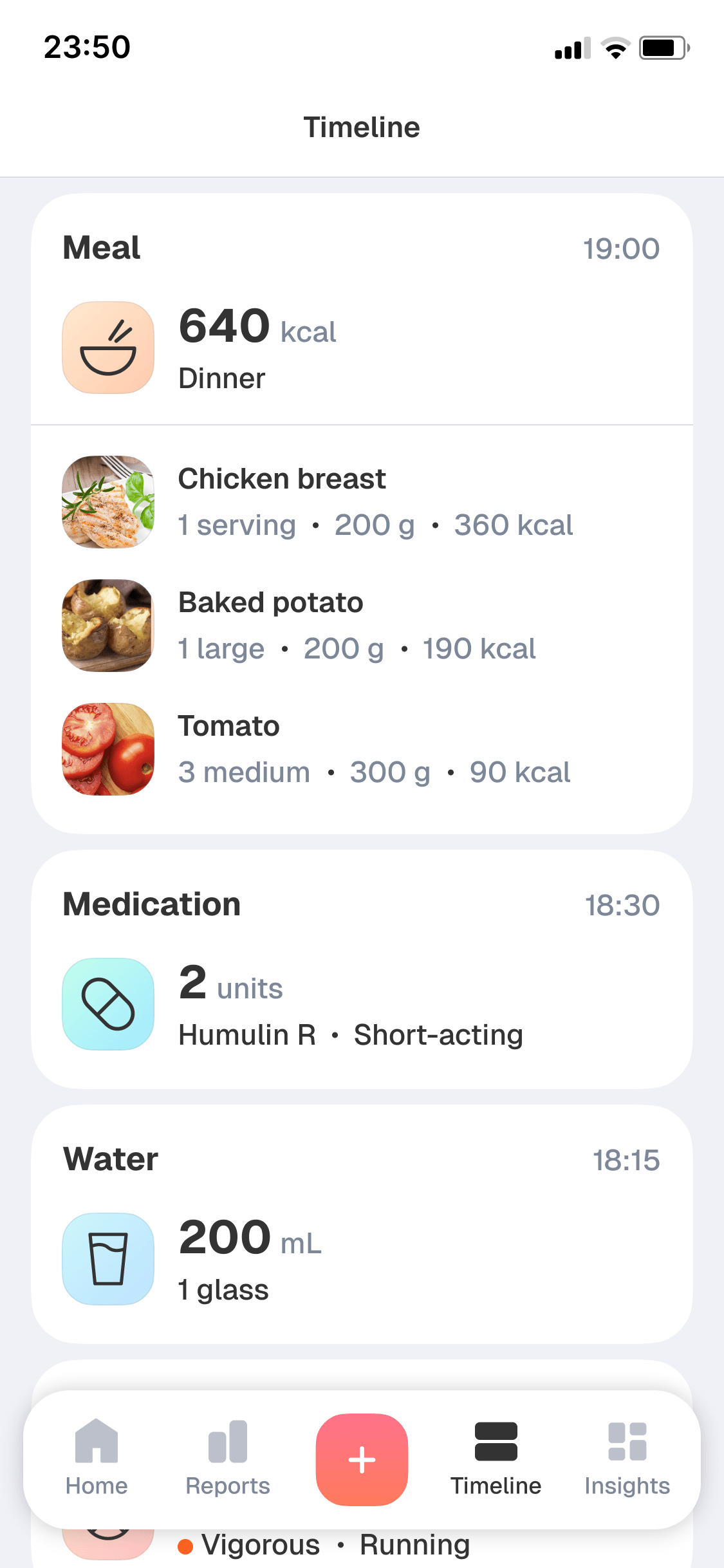
At a doctor’s appointment, people were often asked what had happened around a glucose reading: what they had eaten, when they had taken medication, or whether they had exercised.
That question was harder to answer than it seemed. In interviews, I kept hearing the same problem: people had the numbers, but not the story behind them.
I designed the Timeline as a visual diary of readings and daily events, helping people see each reading in context and review their day with their doctor.
Mockup 1 of 2
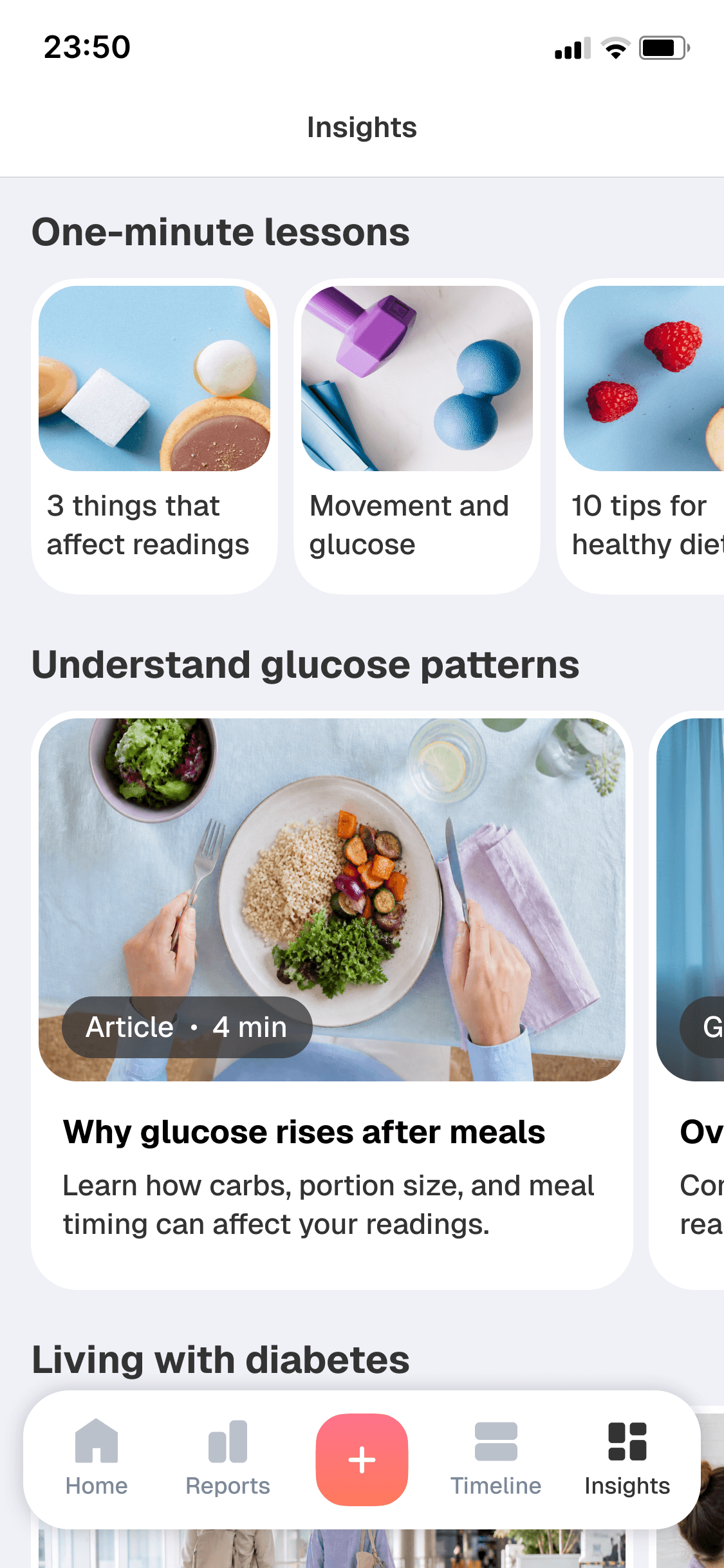
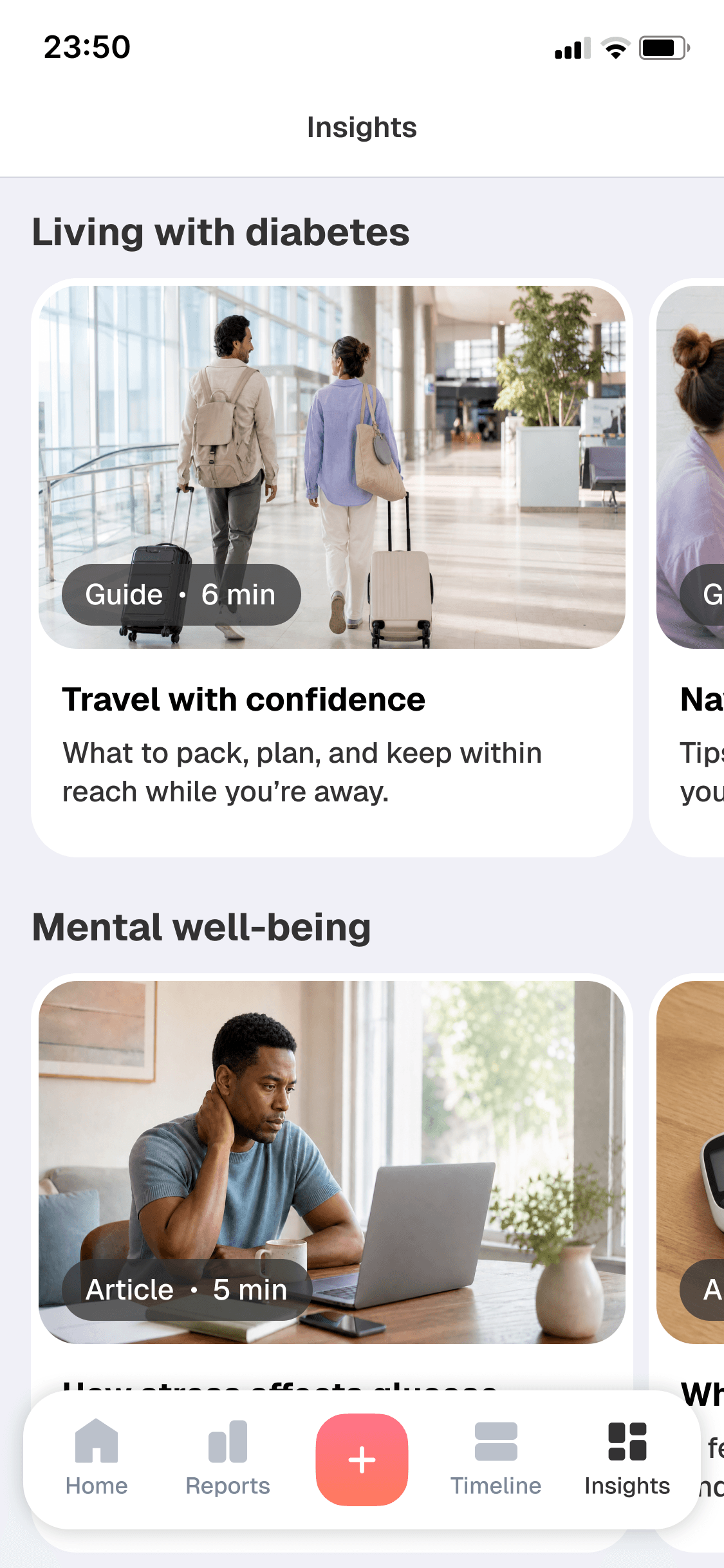
I wanted Biolink to support not only people who had been managing diabetes for years, but also those recently diagnosed. For them, learning how to live with the condition was just as important as tracking it.
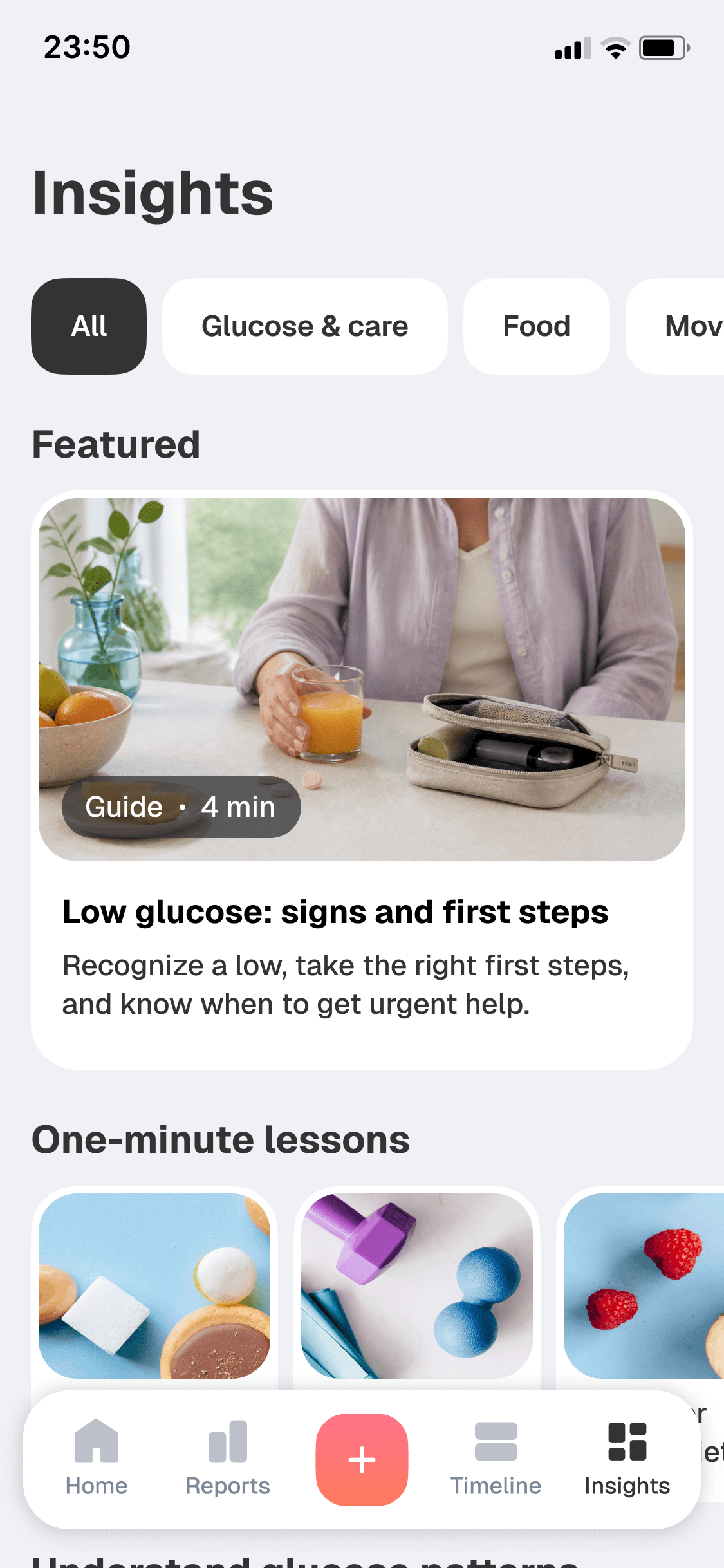
I designed Insights as a library of practical, accessible articles, videos, and bite-sized stories from the community, organized around the realities of living with diabetes — from glucose and food to movement, travel, and mental well-being.
Mockup 1 of 3
I joined the startup at an early stage, when the product direction could still change and the team needed to move quickly. The challenge was building an app that would remain valuable with or without the wearable.
Starting from zero can be paralyzing unless you follow a few simple principles: speak to real users as early as possible, understand how they already manage the problem, and look for gaps that reveal product opportunities.
Those conversations showed us what the app needed to support each day. That gave the team a concrete basis for product decisions.
In zero-to-one work, research is not just a way to validate a solution. Sometimes it is how you discover what is worth building in the first place.